
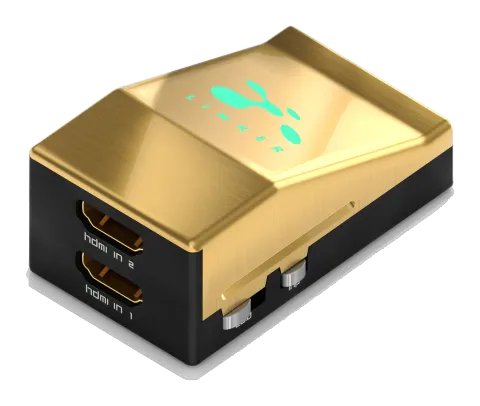
HDF0095-1
HDFury - Linker HDMI 2.0 Scaler
HDFury - Linker HDMI 2.0 Scaler.
ManualFAQCEFAQ
What type of HDMI signals does the HDFury Linker support and what are its bandwidth capabilities?+–
The HDfury Linker is a 4K60 4:4:4 600MHz 18Gbps HDMI2.0a Level A capable scaler. It supports the max bandwidth and data transfer rate of the HDMI2.0a standard.
More:Overview →
How do you connect the HDFury Linker and what cables are required for 4K60 4:4:4 600MHz 18Gbps setups?+–
Connect an HDMI input cable to the HDMI input and an HDMI output cable to the HDMI output. Connect the Linker power supply. Use 600MHz certified HDMI 4K cable for 4K60 4:4:4 600MHz 18Gbps link setups.
More:Connecting Cables →
What are the LED power status indications on the HDFury Linker?+–
The Linker logo glows Green when in use. When it first receives an HDMI signal, the logo turns on, off, and then on permanently after HDCP handshake completion. Logo OFF indicates insufficient power or no signal; blinking indicates ready to accept HDMI signal; ON indicates powered and receiving HDMI signal.
More:Power Status/LED →
What functions does the reset button on the HDFury Linker provide?+–
A short press on the Reset Button generates a Hot Plug Detection event (soft reset). A long press over 8 seconds performs a hard reset to factory default. The unit can also be reset from the USB GUI or when flashing firmware.
What EDID modes are available on the HDFury Linker and how are they controlled?+–
The EDID slide switch has three positions: Sink EDID Mode (creates EDID based on connected sink), Custom/GUI use EDID (pick or load any EDID from available tables; default is 4K60 BT2020/HDR 600MHz Full Audio), and Fixed EDID with L/R Audio (1080p60 2channel stereo basic). Control can also be done via USB GUI.
What capabilities does the HDFury Linker's USB GUI software offer?+–
The USB GUI allows display and control of source and sink device info, input/output signal resolutions and formats, active input selection, autoswitch toggling, HDCP version control, preset selections for 4K30/4K60, scaling mode preferences, EDID editing and selection, HDR and InfoFrame customization, LED control, soft and factory resets, among other features.