
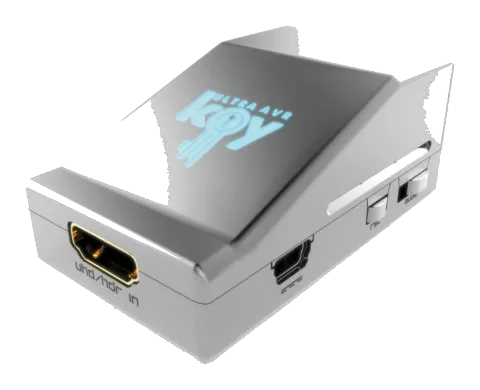
HDF0100
HDFury - 4K Ultra AVR Key
HDFury - 4K Ultra AVRkey.
ManualFAQCEFAQ
What type of device is the HDfury 4K AVR-Key and what HDMI capabilities does it support?+–
HDfury AVR-Key is a 4K60 4:4:4 600MHz 18Gbps HDMI2.0b Level A Full HDMI Audio extractor device. It supports the max bandwidth and data transfer rate of the HDMI2.0b standard and integrates any AVR from any HDMI revision including DV/HLG/HDR10+.
More:Overview →
How do I connect the HDfury 4K AVR-Key in a setup?+–
Connect a HDMI input cable to the HDMI input and a HDMI output cable to the AVR/Audio output. Connect the AVR-Key power supply. Optionally connect any additional HDMI output cable for display pass thru. Use 600MHz certified HDMI 4K cable for a 4K60 4:4:4 600MHz 18Gbps link. Display connection on output is not required for audio extraction.
More:Connecting Cables →
What are the LED indications on the AVR-Key for power and signal status?+–
The AVR-Key logo glows Blue when in use. On receiving an HDMI signal, the logo turns on, then off, then on permanently indicating HDCP handshake completion. Logo OFF means insufficient power or no incoming signals. Logo ON means AVR-Key is powered and receiving and decoding an HDMI signal.
More:Power Status/LED →
What audio modes does the AVR-Key support via the Audio EDID Mode switch?+–
The Audio EDID Mode slide switch has 3 positions: Default follow sink capabilities, Full HDMI Audio (always present Full HDMI Audio including Atmos, DTS:X), and STEREO Limited (always present L/R Audio capability). The default is the middle position to follow sink capabilities.
What video modes does the AVR-Key support via the Video EDID Mode switch?+–
The Video EDID Mode slide switch has 3 positions: middle is default to follow sink capabilities, up is 4K60 600MHz HLG/HDR10+ full video capabilities except Dolby Vision, and down is 4K60 600MHz SDR to force some UHD players to output SDR. Dolby Vision requires the middle position.