
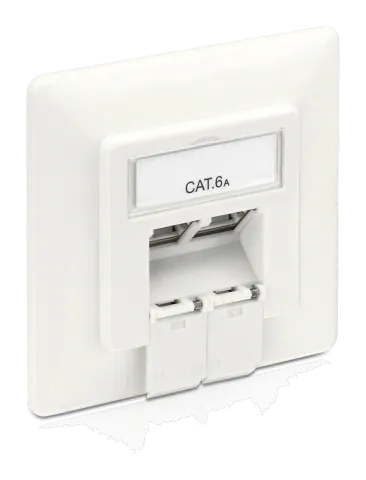
User Guide
Cat.6 A Wallplate | User Guide Item No.
MCA200
| Pin | T568A | T568B |
|---|---|---|
| 1 | White / Green | White / Orange |
| 2 | Green | Orange |
| 3 | White / Orange | White / Green |
| 4 | Blue | Blue |
| 5 | White / Blue | White / Blue |
| 6 | Orange | Green |
| 7 | White / Brown | White / Brown |
| 8 | Brown | Brown |
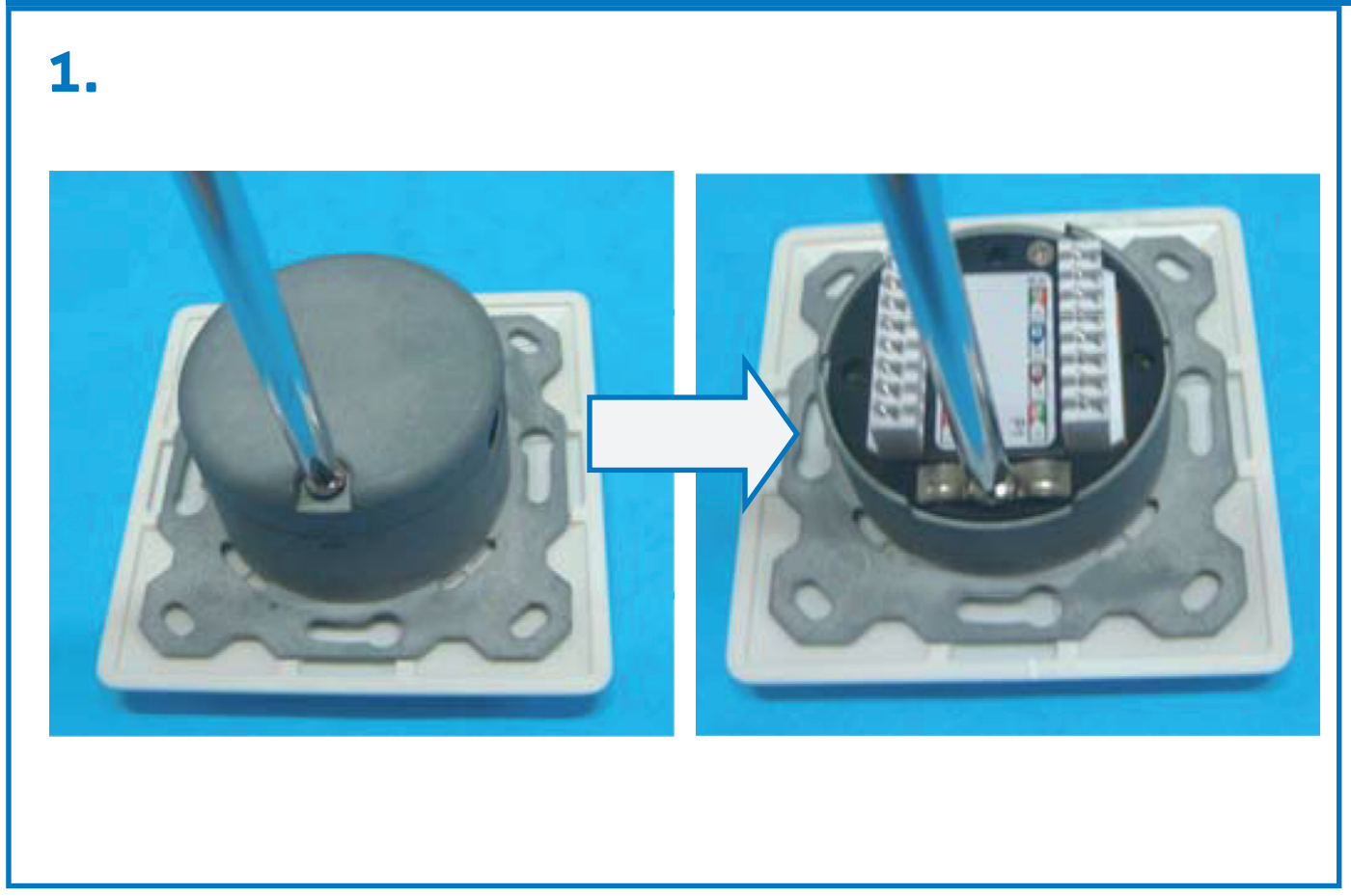
1.
2.
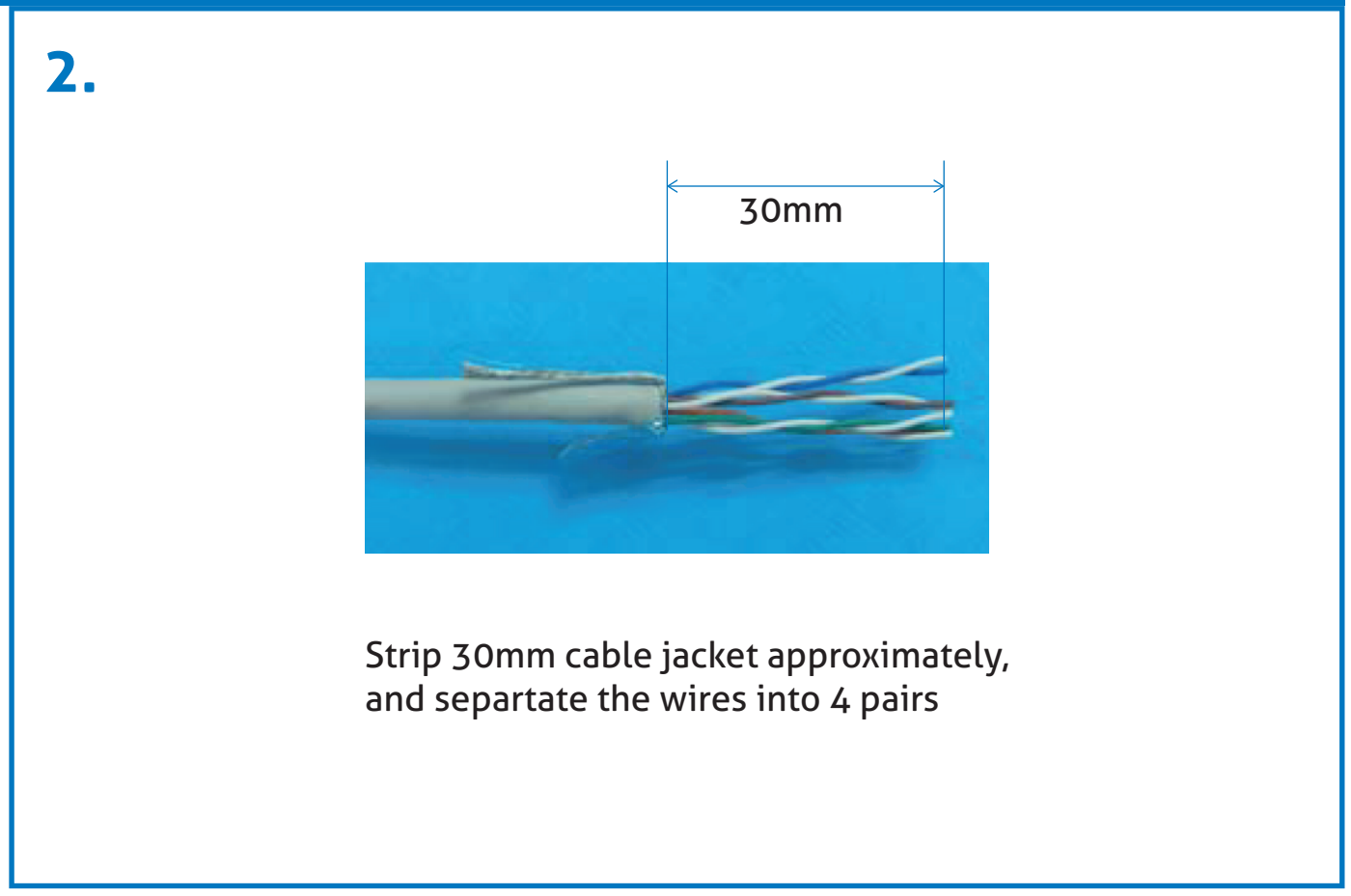
30mm
Strip 30mm cable jacket approximately, and separate the wires into 4 pairs.
3.
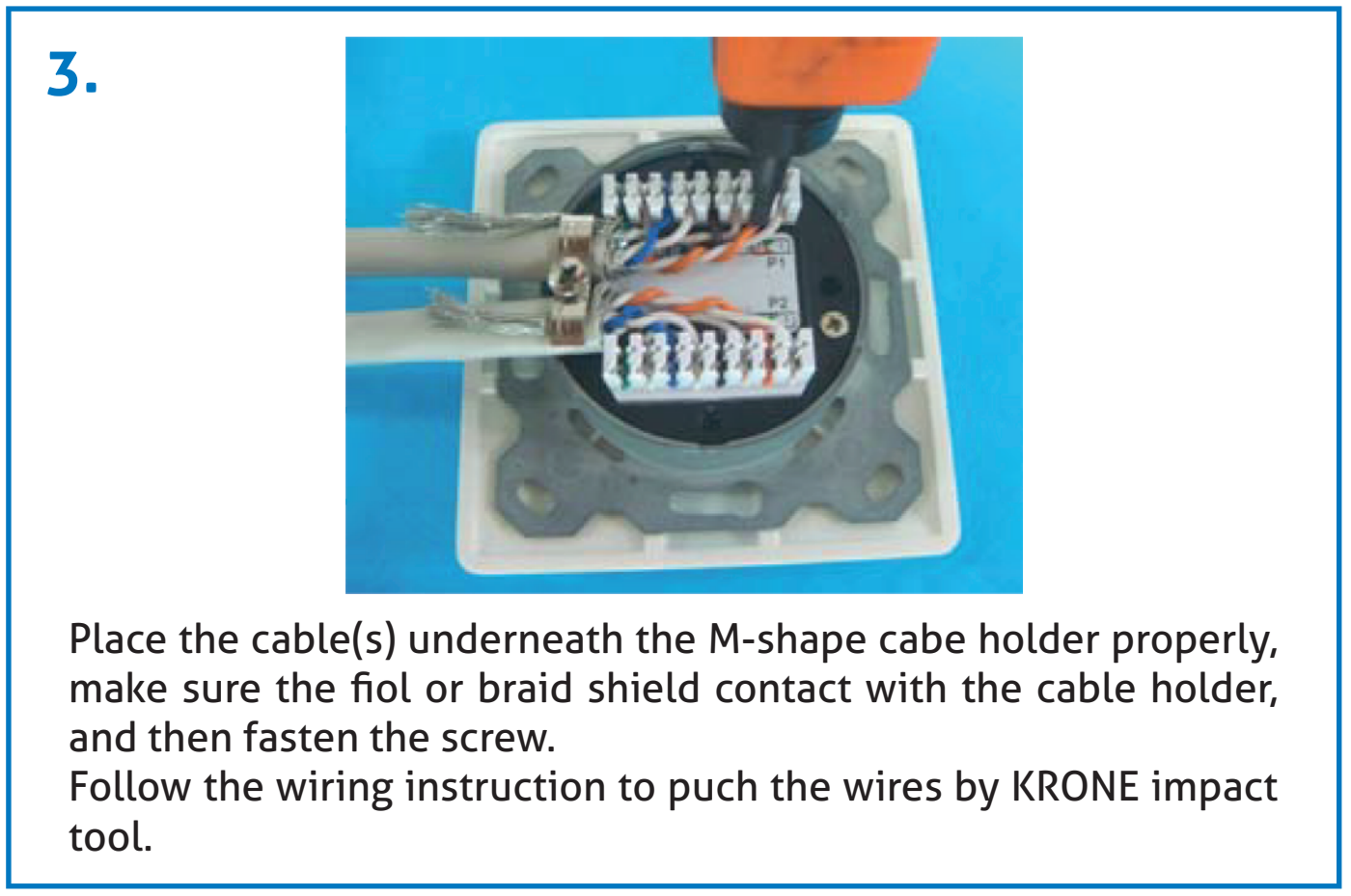
Place the cable(s) underneath the M-shape cable holder properly, make sure the foil or braid shield contacts with the cable holder, and then fasten the screw.
Follow the wiring instruction to punch the wires by KRONE impact tool.
4.
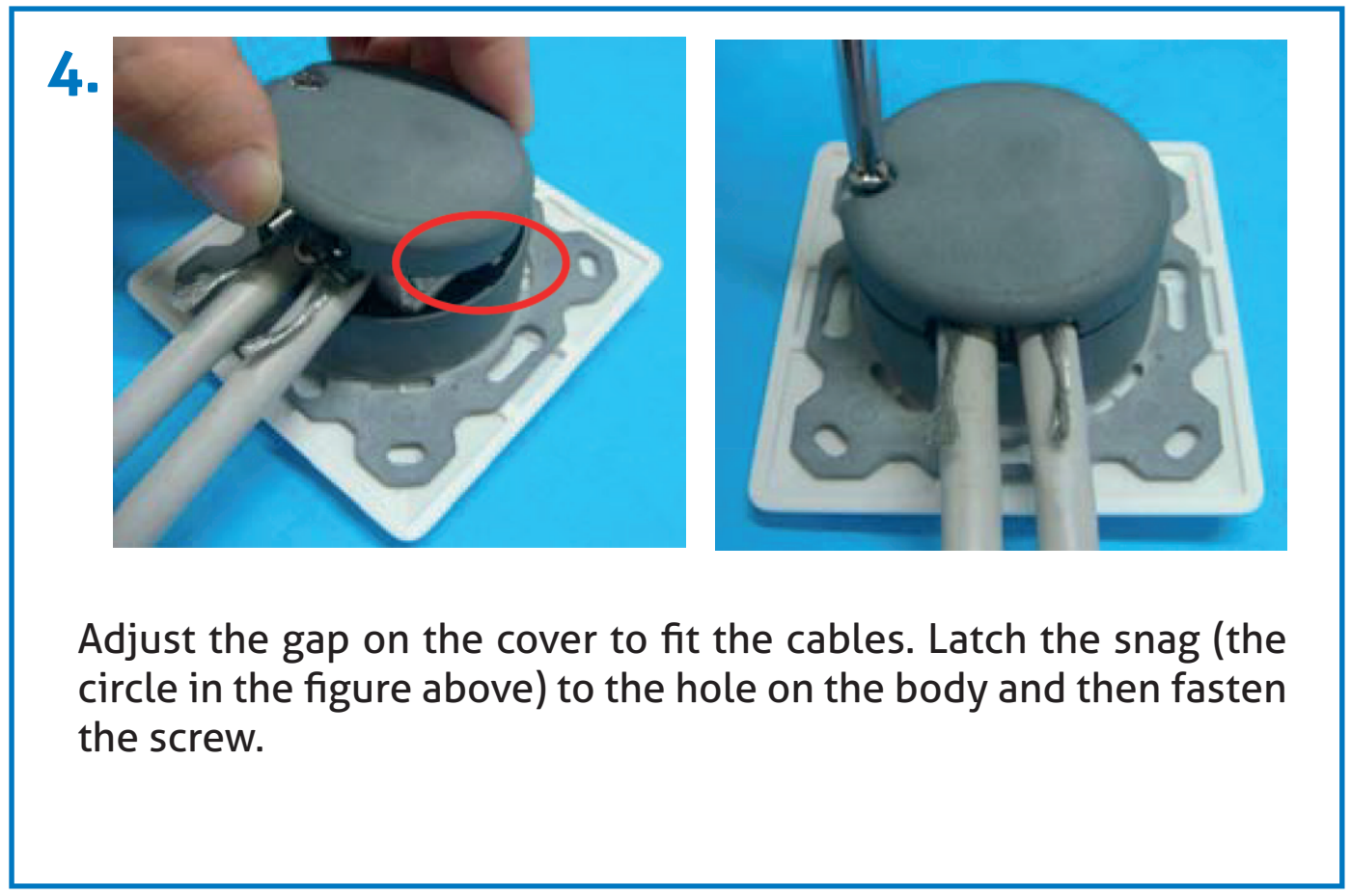
Adjust the gap on the cover to fit the cables. Latch the snag (the circle in the figure above) to the hole on the body and then fasten the screw.
5.
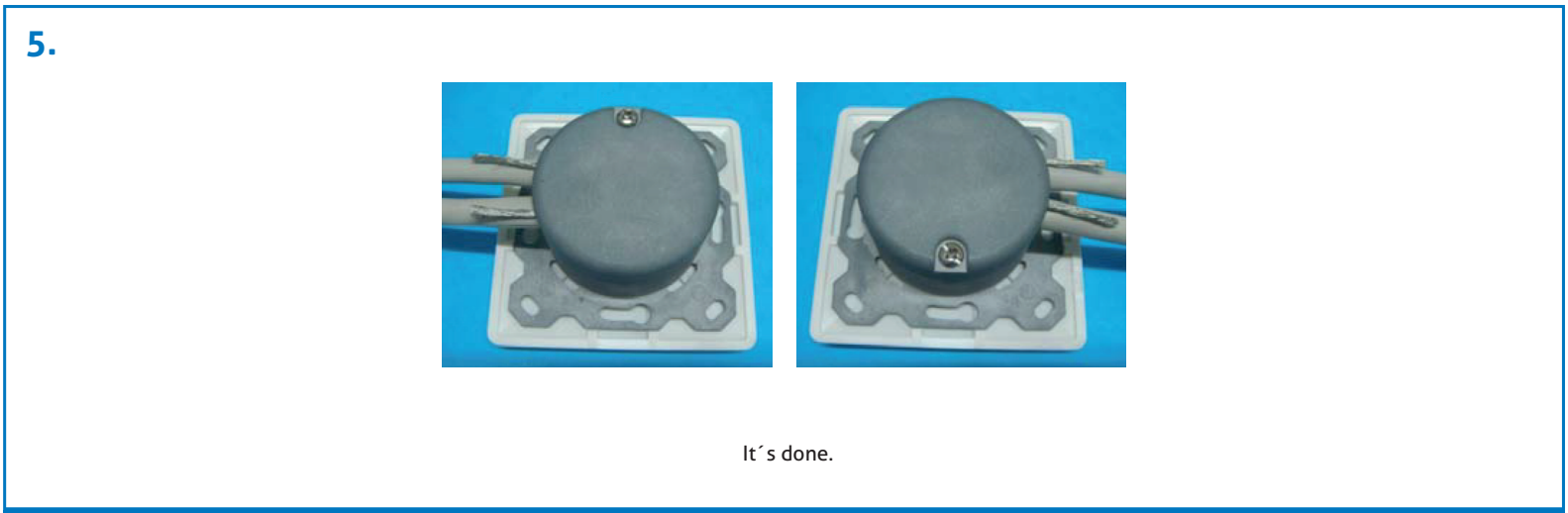
It´s done.
SAFETY INSTRUCTION
Caution: Avoid connection errors - read installation instructions carefully before connecting!
Unplug the RJ45 Plug only when without voltage. Unplugging of device under voltage (e.g. POE) may damage the contacts. Only be installed by qualified personnel. The safety requirements must be observed.
SICHERHEITSHINWEIS
Caution: Anschlussfehler vermeiden - vor dem Anschluss Montageanleitung sorgfältig lesen!
Ziehen des RJ45 Steckers nur bei Geräten ohne Spannung. Ausstecken unter Spannung (z.B. POE) kann zu Schäden an den Kontakten führen! Die Installation ist nur von Fachpersonal durchzuführen. Hierbei sind Sicherheitsanforderungen zu beachten.
Legal & Compliance
Product identification
Model: MCA200 – manual version 1.0
Warranty and liability
The manufacturer grants the full statutory warranty on all new devices. As the manufacturer has no influence on installation, the warranty only applies to the product itself. If you detect a fault or damage, please contact your dealer and provide your sales slip or invoice as proof of purchase.
The manufacturer is not liable for damage to persons or property caused by improper installation, operation or maintenance not described in this manual. Do not alter or modify the product or its accessories. Any use other than described in this manual is not permitted and voids warranty and guarantee.
Trademarks and disclaimer
Product model and logo are trademarks. All other company and product names mentioned are trademarks of their respective owners. All rights reserved. No part of this publication may be copied or reproduced without prior written permission. We reserve the right to make changes to the device, packaging or manual and accept no liability for misprints.
Packaging
Dispose of packaging separately by material (paper/cardboard, plastics) via the local collection systems. Keep packaging material away from children – risk of suffocation. Packaging register LUCID: DE5958616449295.