
FX-I650-007
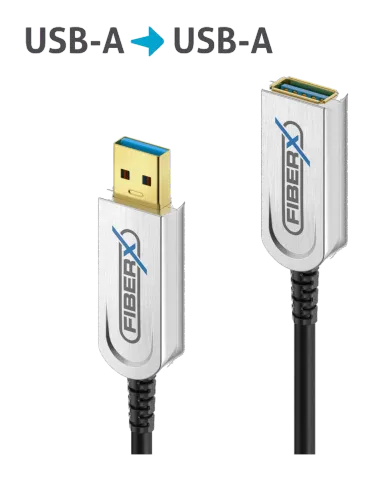
USB 3.2 Gen2x1 USB-A AOC Fiber Optic Extension Cable, 7.50m
The FX-I650 is a 7.50m active USB extension cable with a hybrid construction of fibre optic conductors for AV data and copper lines for power and legacy data, supporting USB-A male to USB-A female connections. It …
ManualFAQSpecificationsCE declaration ↗FAQ
What steps must be taken during connection and operation of the FX-I650 cable?+–
Before using this cable, please make sure that all devices which will be connected with the AOC USB Cable are shut down and without power. Then you can start to connect the “host side” of the USB plug to the transmitter and connect the “remote (device) side” of the other USB plug to the receiver/display. This works without additional power supply.
What are the main features of the FX-I650 USB 3.1 AOC Cable?+–
Meet USB 3.1 Gen2 Standard, bandwidth can reach up to 10Gbps super speed Delivers up to 1.5W continuous Power up to 15m length Hybrid optical cable with fiber and copper wire Backward compatible with USB 3.0 / 2.0 / 1.1 No RF interference, working stable in complex environments
More:Features →
What are the maintenance recommendations for the FX-I650 cable?+–
There are no components located inside the product you need to maintain. Never open/dismantle the product. Maintenance, modifications and repairs are to be performed exclusively by an expert or at a qualified shop.
More:Maintenance →
What cleaning instructions should be followed for the FX-I650 cable?+–
Before cleaning the product it must be disconnected from all other connected products. Do not use abrasive or solvents or any aggressive cleaning agents, rubbing alcohol or other chemical solutions as they can cause damage to the housing and malfunctioning. To clean the product, a dry, soft and clean cloth is sufficient.
More:Cleaning →