
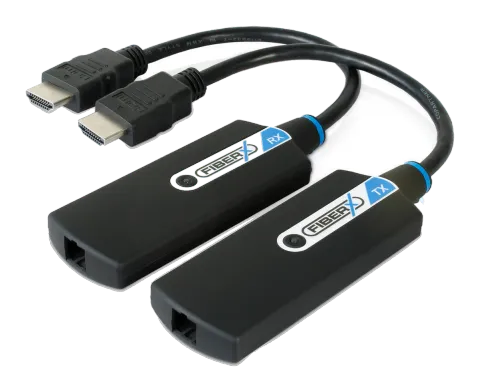
FiberX HDMI Optical Extender Pigtail User Guide
FX-P320
Thank you for purchasing FX-P320
The optical HDMI pigtail extender with HDCP support extends HDMI signals up to 300m using single strand multi-mode optical fiber cable. It supports resolutions up to FullHD (1920x1080) and WUXGA (1920x1200).
Package Contents
Please make sure all of the following items are included in the package:
- FX-P320 Transmitter & Receiver
- +5V DC Power supply x 2pcs
- User Guide
If any of the above items are missing, please contact your supplier for support.
Note: Package content may differ if you have placed a special order or placed order from anywhere other than PureLink GmbH. PureLink GmbH reserves the right to make changes without further notice to a product described herein to improve reliability, design, packaging or function.
Installation
Installation Steps:
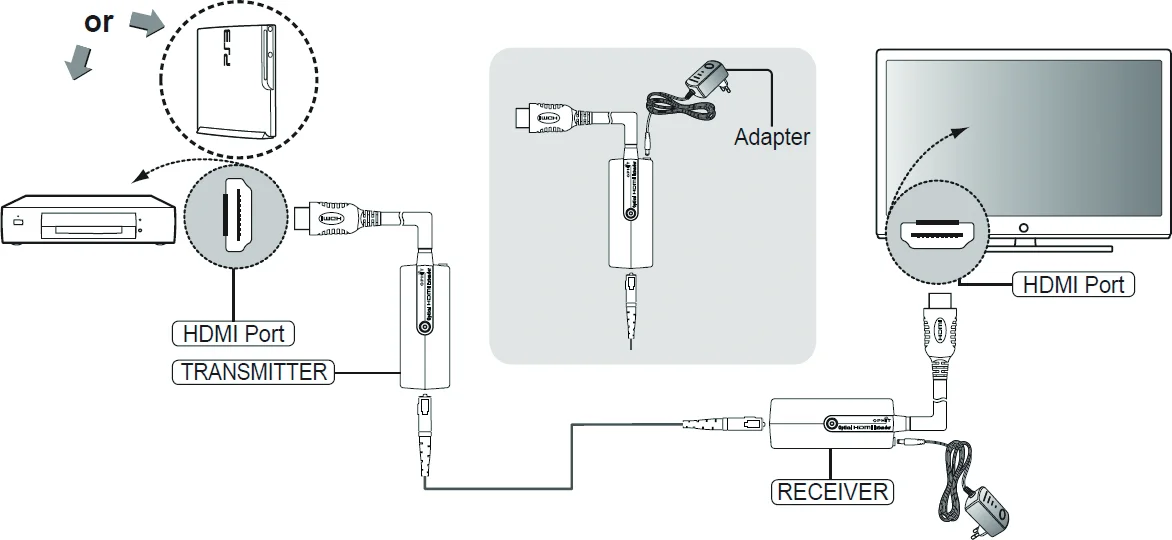
- Connect product transmitter to the HDMI port on your source device.
- Connect product receiver to the HDMI port on your digital display device.
- Connect Multi-mode SC type 1 Channel standard fiber-optic cable between transmitter and receiver.
- Connect power adapter to the receiver which has been provided. *Connection of the power adapter is optional (in case source device cannot supply full voltage from HDMI alone)
- The Green LED will appear on the transmitter and receiver, after all the product connections are completed.
Note: The Transmitter and the Receiver modules must be connected to the included power supplies for proper operation. Transmitter module must be powered on first.
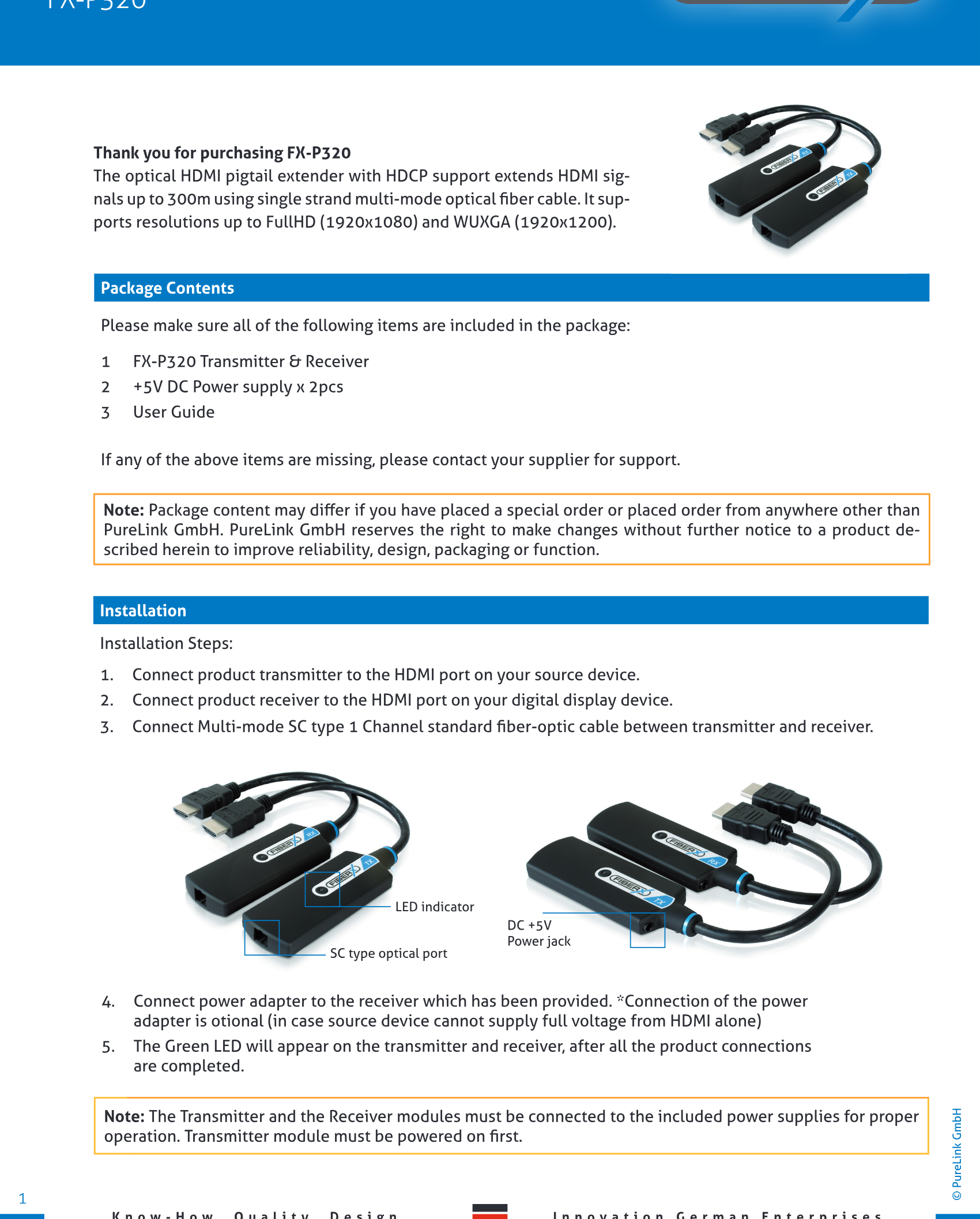
LED indicator
DC +5V
Power jack
SC type optical port
FiberX HDMI Optical Extender Pigtail User Guide
FX-P320
We, PureLink GmbH hereby warrant the final purchase of our product as follows. In case of defect, please contact the reseller from which you purchased this item.
One year limited warranty
Customers are liable to a free of charge repair or replacemenent, if goods are found to be defective within 1(one) year of the purchase date, providing the unit has not been mistreated.
Out of warranty services
A product is deemed to be out of warranty and may be liable to customer charges when it is past a year in age or if the defect is not related to manufacturing, as in the following cases:
- Product defects caused by accident, disaster.
- Damage to product caused by the customer’s carelessness or mistaken application.
- Damage to product caused by the application of parts or products not supplied or sold by our company.
- Damage to product and any related defect caused by unwarranted service personnel or any indication that chassis covers have been removed or tampered with.
Warranty
Application
Trouble shooting
Screen is not displayed
- Check if the source device power is on
- Check if connections to the source and display device are correct
- Turn the source device power off and on again
Noise is shown on the screen
- Check the HDMI connection
- Check the display resolution
Note: If the malfunction is not fixed by the above measures, please contact your reseller.
Note: If you are still experiencing problems, It may be necessary to clean the module connector or SC fiber cable. Around 80% of connection issues with fiber optic systems are due to dirty connectors - for more information see the Purelink fiber cleaning guide on our website: http://www.purelink.de/fileadmin/purelink/media/sonstige/PureLink_Fiber_CleaningInstructions.pdf
Legal & Compliance
Product identification
Model: FX-P320 – manual version 1.0
Trademarks and disclaimer
Product model and logo are trademarks. All other company and product names mentioned are trademarks of their respective owners. All rights reserved. No part of this publication may be copied or reproduced without prior written permission. We reserve the right to make changes to the device, packaging or manual and accept no liability for misprints.
Disposal of electrical and electronic equipment
WEEE reg. no.: DE 93847290
The crossed-out wheelie bin symbol on the product, packaging or in this manual means that electrical and electronic equipment must not be disposed of with household waste at the end of its life. Hand in old devices free of charge at a public collection point or return them to a distributor obliged to take them back. Remove batteries and lamps that can be removed without destroying the device before handing it in, and delete any personal data stored on the device. Details are regulated by national law. By returning old devices you help protect the environment.
Packaging
Dispose of packaging separately by material (paper/cardboard, plastics) via the local collection systems. Keep packaging material away from children – risk of suffocation. Packaging register LUCID: DE5958616449295.