
Introduction
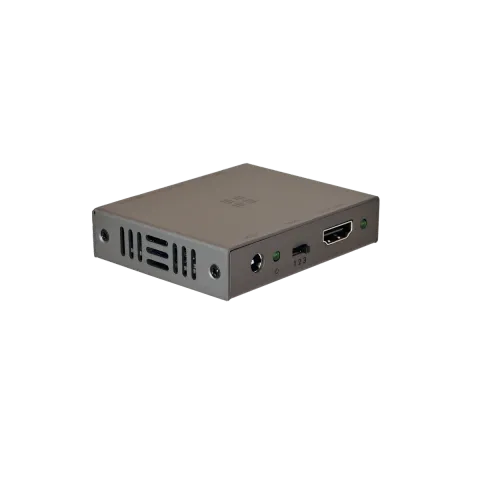
MHUB Music Input Adapter
Add an audio source to MHUB or MHUB S (A) systems.
The MHUB Music Input Adapter enables the addition of an audio-only input, such as a music streamer, audio mixer, microphone*, public address system, chimes, etc, as one of the selectable sources as part of a standalone or stacked MHUB or MHUB S (A) multizone system. Popular use cases would include adding a music source input such as a Sonos Port or door chime to a multizone system without requiring a separate audio matrix device.
*Additional hardware may be required.
Important information
IMPORTANT
For optimum performance and safety, please read these instructions carefully before connecting, operating or configuring this product.
Please keep this manual for future reference.
Note: Surge protection is recommended
This device contains sensitive electrical components that may be damaged by electrical spikes, surges, electric shock, lightning strikes, etc. The usage of surge protection systems is recommended in order to protect and extend the life of your system.
UK designed. China assembled.
Features / In the box
- x1 MHUB Music Input Adapter
- x1 5V 1A Power Supply with adapters (UK, EU, US, AU)
- x1 User Manual
Name: MHUB Music Input Adapter
Product code: 2.58.936
In the boxFeatures
- Converts video inputs to audio inputs on MHUB / MHUB S (A)
- Embeds digital or stereo audio on HDMI
- Optical formats: PCM 2.0, Dolby Digital 2.0/5.1, DTS 2.0/5.1
- Analogue formats: PCM 2.0
- HDMI 2.0b (18Gbps), DVI 1.0
- HDCP 2.2
- Video resolutions up to 4K@50/60Hz (YUV4:4:4) including 10-bit HDR pass-through
- Supports HDMI High Bit Rate (HBR) audio pass-through
- CEC pass through supported
Specifications
| HDMI version | HDMI 2.0b |
|---|---|
| HDCP compliance | 2.2 & 1.4 |
| Video bandwidth | 18Gbps |
| Video resolution | Up to 4K@60Hz (4:4:4) with HDR |
| Colour space | RGB, YCbCr 4:4:4, YCbCr 4:2:0 |
| Colour depth | Up to 12-bit |
| Video & audio IO | Inputs: x1 HDMI (Type A), x1 3.5mm Stereo, x1 Optical Outputs: x1 HDMI (Type A) |
| Power supply | DC 5V 1A (US/EU/CE/FCC/UL Certified) |
| Power consumption | 1.25W |
| Operating temperature | 0°C - 40°C / 32°F - 104°F |
|---|---|
| Storage temperature | -20°C - 60°C / -4°F - 140°F |
| Relative humidity | 20 - 90% (Non-condensing) |
| Housing | Steel |
| Colour | Grey (Carbonite) |
| Dimensions (W/D/H) mm | 73.5 / 60.7 / 17 |
| Weight | 122g / 4.2 ounces |
| Package weight | 350g / 12.3 ounces |
MHUB Music Input Adapter port diagram + description
Help is only an email away: support@hdanywhere.com or online http://support.hdanywhere.com
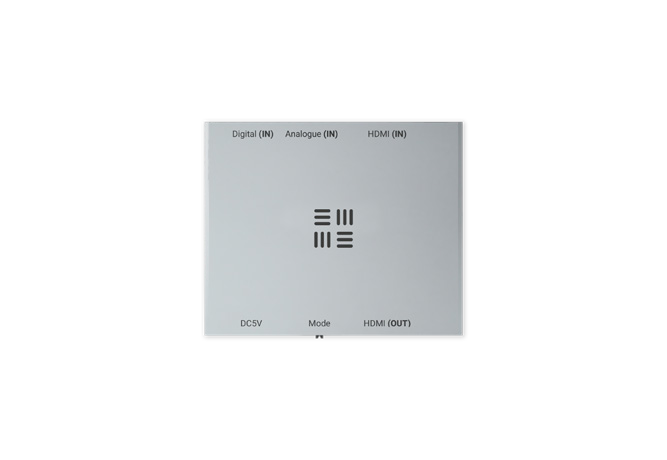
Port diagram
HDMI (IN)
HDMI (OUT)ModeDC5V
Analogue (IN)Digital (IN)
1 23
1 2 3
- DC5V: Connect the supplied power supply to this port to provide power to the MHUB Music Input Adapter.
- Power: Indicator light. If this light is on and solid then the MHUB Music Input Adapter has power.
- Mode: Input audio selector switch. The switch has three modes of operation (labelled 1,2,3) and the position determines what audio input is routed to the “HDMI (OUT)” port. Mode 1: HDMI (IN), Mode 2: Digital (IN), Mode 3: Analogue (IN).
- HDMI (OUT): Connect to MHUB HDMI input.
- Link: Indicator light. This light illuminates when a successful HDMI handshake/link is made from the “HDMI (OUT)” port to MHUB or display.
- HDMI (IN): Extract audio from an HDMI video stream.
- Analogue (IN): 3.5mm stereo analogue audio input.
- Digital (IN): Optical/SPDIF audio input.
Description
A video source is not required.
This device does not require a video input (i.e. a video source) in order to work. If no video source is connected to the MHUB Music Input Adapter then a blank screen will be presented on screen.
Example wiring diagram + explanation
Example wiring/usage diagram
Using the MHUB Music Input Adapter to add an audio source to MHUB or MHUB S (A) system.
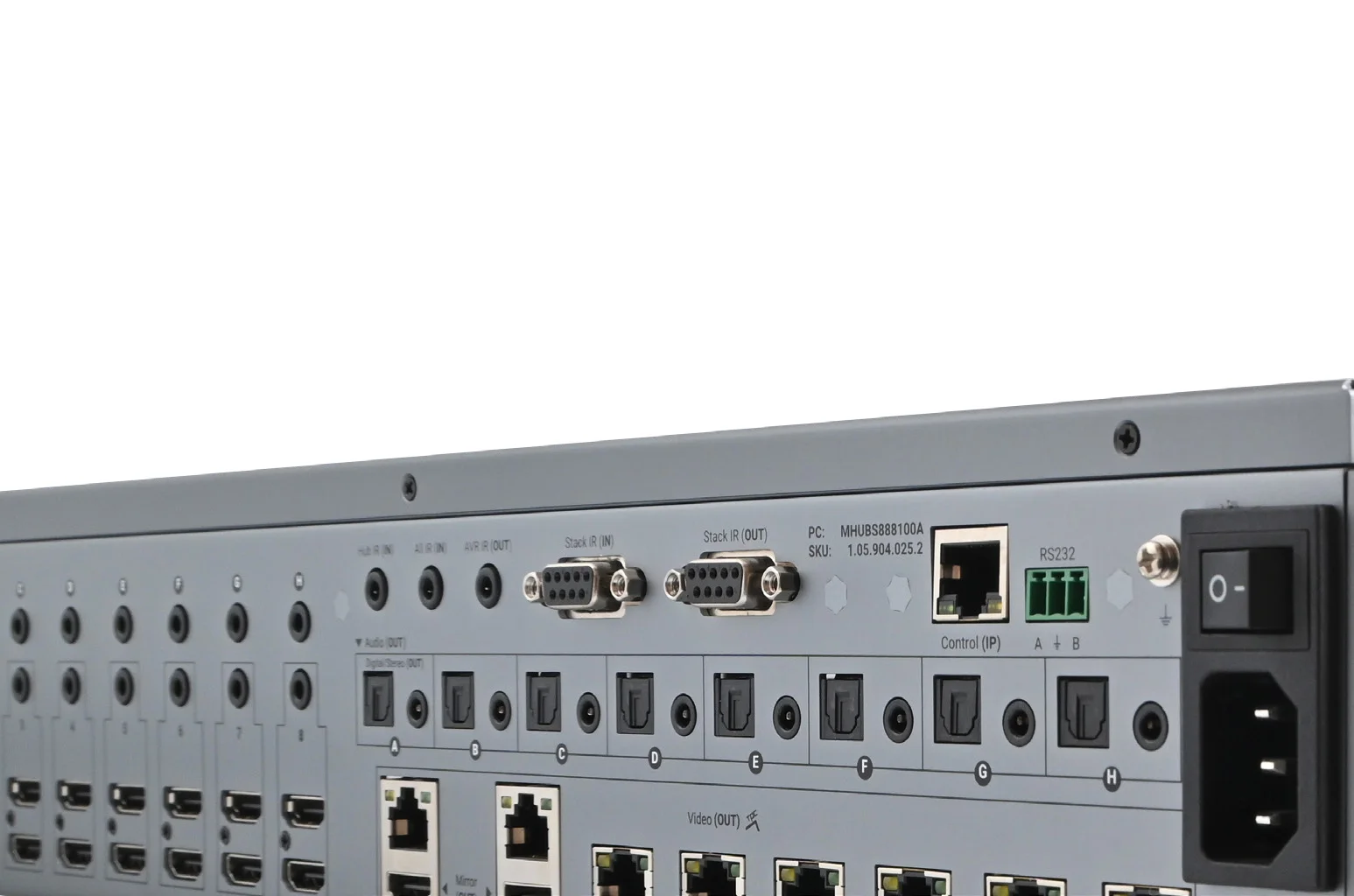
The MHUB Music Input Adapter provides the ability to add audio input sources (e.g a Sonos Port) to an existing MHUB S or MHUB (A) system. It works by converting digital or analogue audio signals, from any audio source, into HDMI so that it can be managed and routed by MHUB. From MHUB, audio can be extracted to local amplifiers and volume can be changed from uControl or 3rd party controllers negating the need for separate audio distribution hardware.
Note: As per the diagram, it is not possible to be watching TV and listening to music audio at the same time. To achieve this please consider MHUB + MZMA audio hardware instead.
Alternative use as an audio embedder:
MHUB Music Input Adapter can also be used as an HDMI audio embedder to overlay alternative audio over a HDMI video signal, especially suitable for commercial applications.
Wiring diagram
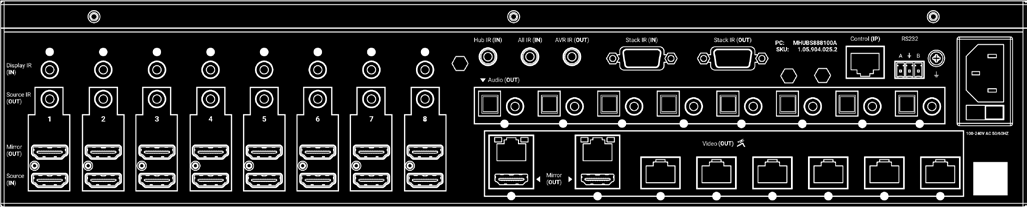
- HDMI Cable
- Cat 6 / HDBaseT
- Speaker Cable
- 3.5mm Stereo Cable
- RCA/Audio Cable
2 Year Guarantee
WHO WE ARE
1. We are HD CONNECTIVITY LTD trading as HDANYWHERE (“HDA”), a limited company registered under number 06046737 in England and Wales with its registered offices at The Haysfield, Malvern, WR14 1GF, United Kingdom.
OUR GUARANTEE TO YOU
2. We, HDANYWHERE warrant to you, the end user of the HDA hardware (the “Products”) that on the date of delivery of the Products to you, and from that date to the end of the period specified in your user manual or to the end of the period as extended by paragraph 3 if applicable (the “Guarantee Period”), the Products shall:
(a) match any description that has been provided to you;
(b) be free from any significant defects in their design, the materials used to make them, and the way they are made;
(c) be of satisfactory quality (within the meaning of the Consumer Rights Act 2015); and
(d) be fit for any purpose held out by us.
We offer this guarantee to all our customers who are resident and have an address in Great Britain and Northern Ireland.
EXTENDING YOUR GUARANTEE
3. On registering your Products with HDA Cloud, the guarantee offered in paragraph 2 by us will automatically extend for a period of three years, provided that your registration takes place within 30 days from the date of delivery. The three year guarantee extension starts automatically from the date that the original guarantee ends.
HOW TO CLAIM ON YOUR GUARANTEE AND YOUR REMEDIES
4. Subject to paragraphs 5 and 6 of this guarantee, Your sole remedies under Our guarantee to You are as follows:
- Up to 30 days: we will replace your product
- After 30 days and up to the end of the 2-year standard guarantee period: we will repair or replace your product. If we are unable to repair or replace your product, we will provide you with a 100% credit of the price paid for the defective product redeemable in the HDA Factory Store.
- After the 2-year standard guarantee period, i.e. within the 3-year guarantee extension period, all guarantee claims are handled directly by HDA in Malvern, England in a return-to-base manner.
- If after the 2-year standard guarantee period, and within the 3-year guarantee
EU Conformity
Hereby, HDANYWHERE declares that this HDMI connectivity device is in compliance with the essential requirements and other relevant provisions of the following Directives: 2006/95/EC (LVD Directive); 2004/108/EC (EMC Directive); 1999/5/EC (R&TTE Directive).
The full text of the EU declaration of conformity is available in the compliance section at HDANYWHERE.com/legals
Recycling your device properly
In some areas, the disposal of certain electronic devices is regulated.
Make sure you dispose of or recycle your device in accordance with your local laws and regulations.
Important information
CIRCUMSTANCES WHERE YOUR GUARANTEE DOESN’T APPLY
- If you make any further use of the Products after giving us notice of an issue in accordance with paragraph 5;
- the defect arises because you failed to follow our oral or written instructions as to the storage, installation, use and maintenance of the Products;
- the defect arises as a result of your use of the Products with any other software or hardware that is not compatible with the Products;
- the products are used by you for any commercial purpose, including rental or demonstrative purposes;
- you alter or repair the Products without the written consent of HDA;
- the defect arises as a result of an act of god, fair wear and tear, or your misuse, abuse, unreasonable use, wilful damage, negligence, or abnormal storage of the Products or by any other causes unrelated to defective hardware or manufacturing;
- where the serial number has been altered, defaced or removed;
- where the warranty seal on the system has been altered, defaced or removed; or
- where the Products differ from their description as a result of changes made to ensure they comply with applicable statutory or regulatory requirements.
TRANSFERRING YOUR GUARANTEE TO SOMEONE ELSE
[HDA will not accept any liability under such guarantee unless you are the original customer or can produce a letter or chain of letters from the original customer and subsequent customers (where appropriate) transferring the benefit of the guarantee to you.]
PRODUCTS THAT ARE NOT COVERED BY THIS GUARANTEE
This guarantee does not cover products sold and clearly marked “as is”, “B-grade”, or with faults. This guarantee does not apply to any system software that is preinstalled in the HDA hardware, or is subsequently provided via update or upgrade releases. Any and all HDA software is licensed to you under the terms of a separate end user licence agreement found here: https://hdanywhere.com/legal/eula/
HOW THIS GUARANTEE WORKS WITH OUR EULA
We may void this guarantee if we reasonably believe that the HDA system has been used in a manner that violates terms of our separate End User Licence Agreement (EULA) for the HDA software. You assume all-risk and liabilities associated with the use of third party products in conjunction with the Products.
YOUR STATUTORY RIGHTS
This guarantees is in addition to your statutory rights (including under the Consumer Rights Act) which are not affected by this guarantee
GENERAL TERMS OF THIS GUARANTEE
- Except as provided in this guarantee, we shall have no liability to you in respect of the Products’ failure to comply with the guarantee set out in paragraph 2.
- We reserve the right to amend or withdraw this guarantee at any time although for the avoidance of doubt any guarantees that are in existence at such a time will be honoured.
- These Conditions shall apply to any repaired or replacement Product supplied by us.
GUARANTEE CONTACT INFORMATION
To contact (support@hdanywhere.com) or call HDANYWHERE Technical Support (call charges will depend on your telephone provider. Please check with your operator for exact charges). The team is available 9am - 5pm weekdays. To help us handle your query promptly, please have your invoice number and model SKU and serial ready.
Let us know what you think.
We would love to hear how we could further improve our products and services.
If we can make something better, please let us know!
Copyright © HDANYWHERE.
HDANYWHERETM is a trading name of HD Connectivity Ltd.
Registered in England & Wales 06046737 VAT 913222367
HDANYWHERE assumes no responsibility for any inaccuracies that may be contained in this document. In no event will HDANYWHERE be liable for direct, indirect, special, incidental, or consequential damages resulting from any defect or omission in this document, even if advised of the possibility of such damages.
Legal & Compliance
Product identification
Model: HDA-258936 – manual version 1.0
Trademarks and disclaimer
Product model and logo are trademarks. All other company and product names mentioned are trademarks of their respective owners. All rights reserved. No part of this publication may be copied or reproduced without prior written permission. We reserve the right to make changes to the device, packaging or manual and accept no liability for misprints.
WEEE reg. no.: DE 93847290
Packaging
Dispose of packaging separately by material (paper/cardboard, plastics) via the local collection systems. Keep packaging material away from children – risk of suffocation. Packaging register LUCID: DE5958616449295.