
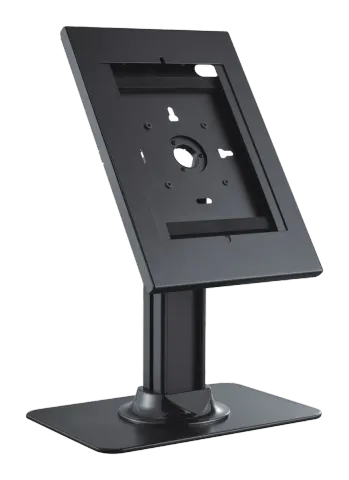
PDS-5910/PDS-5911 Installation Instruction
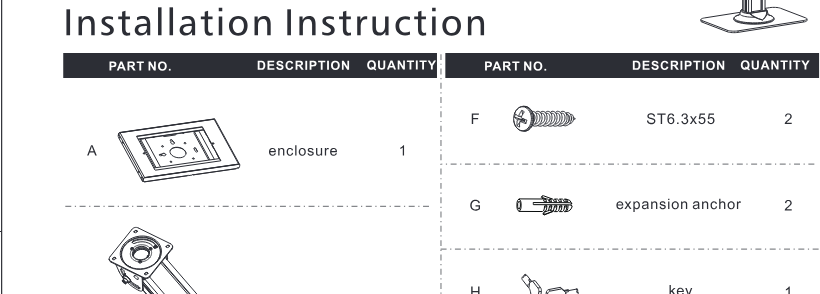
| PART NO. | DESCRIPTION | QUANTITY | PART NO. | DESCRIPTION | QUANTITY |
|---|---|---|---|---|---|
| A | enclosure | 1 | F | ST6.3x55 | 2 |
| B | column | 1 | G | expansion anchor | 2 |
| C | base | 1 | H | key | 1 |
| D | rubber pad | 4 | I | M5x8 | 4 |
| E | decorative cover | 1 | J | M8x20 | 4 |
| K | 4mm Allen key | 1 | |||
| L | 5mm Allen key | 1 |
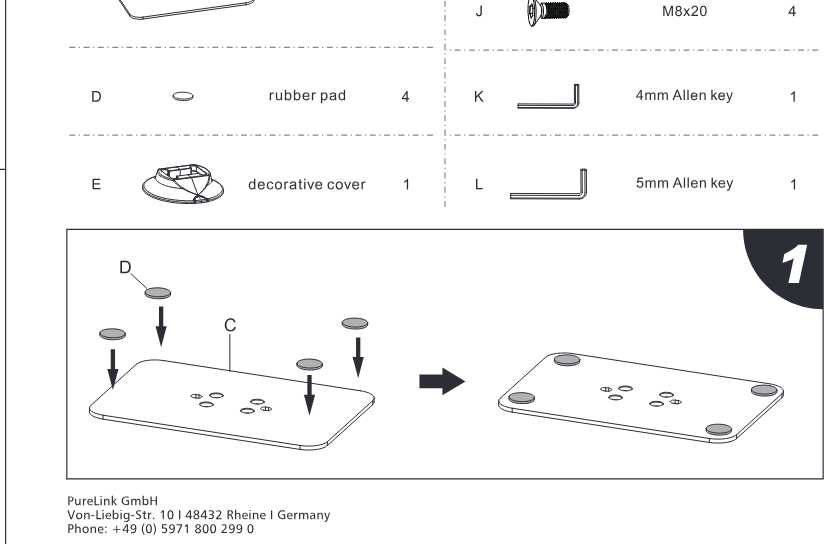
Step 1
D C
PureLink GmbH
Von-Liebig-Straße 10 | 48432 Rheine | Germany
Phone: +49 5971 800299 0
PureLink GmbH hereby declares that this product complies with Directive 1907/2006/EU and 2011/65/EU.
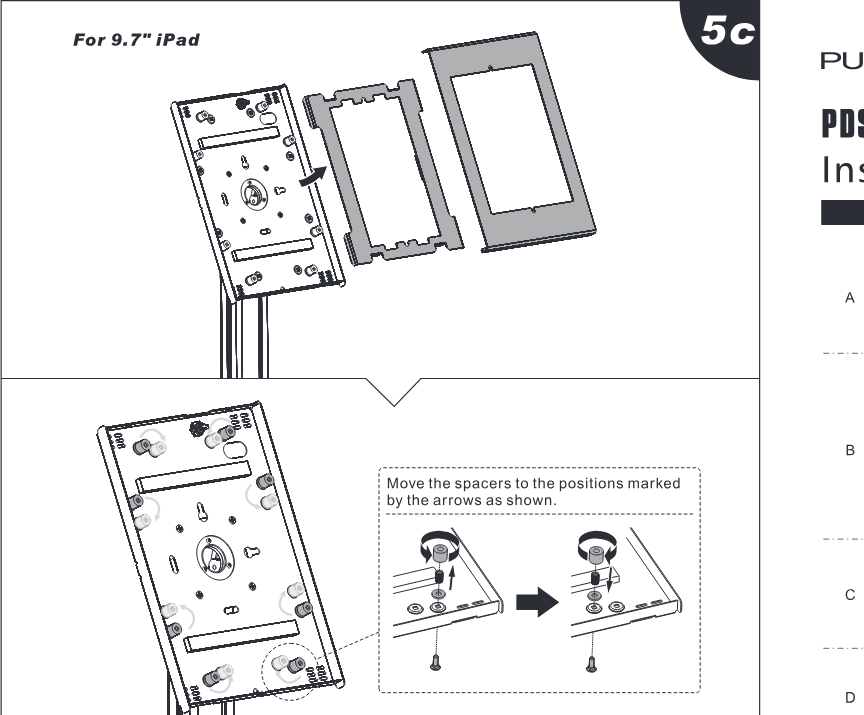
Step 5c
For 9.7" iPad
Move the spacers to the positions marked by the arrows as shown.
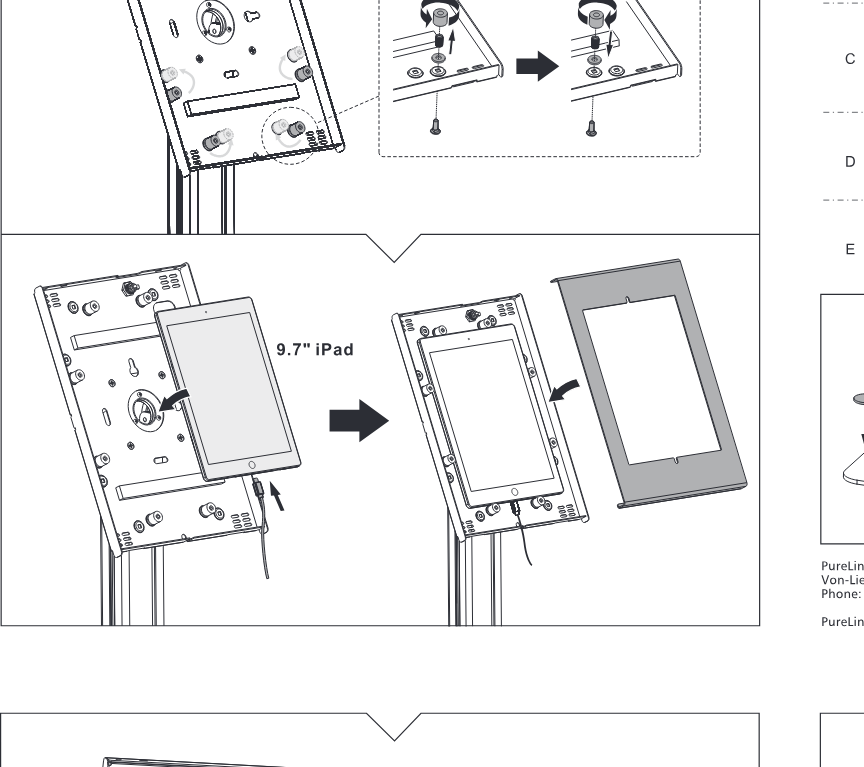
9.7" iPad
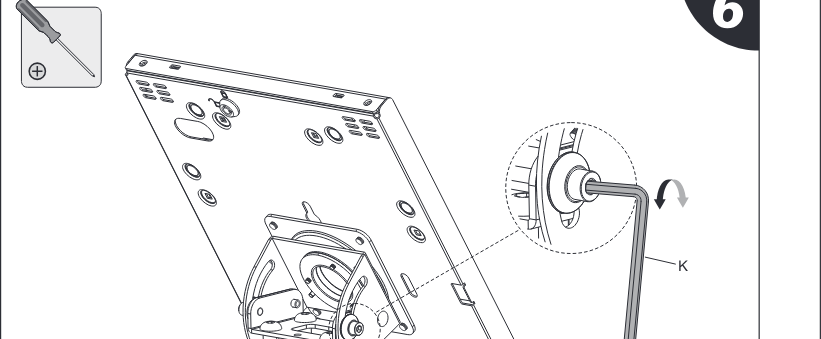
Step 6
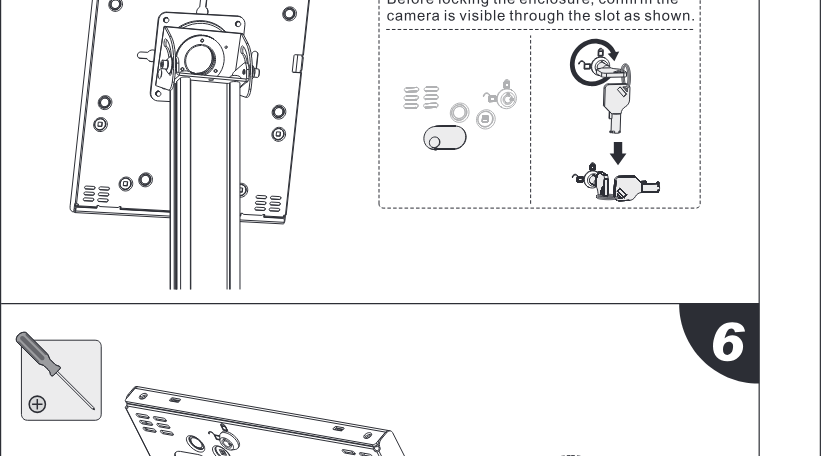
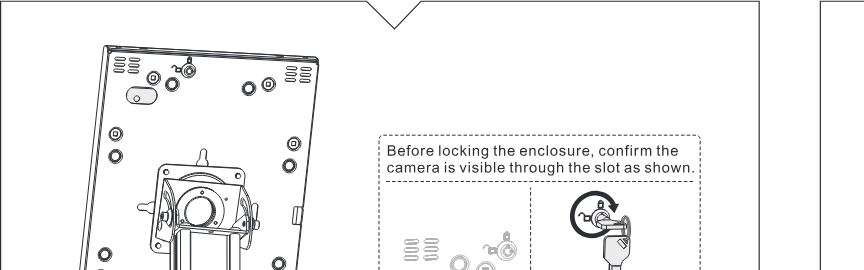
Before locking the enclosure, confirm the camera is visible through the slot as shown.
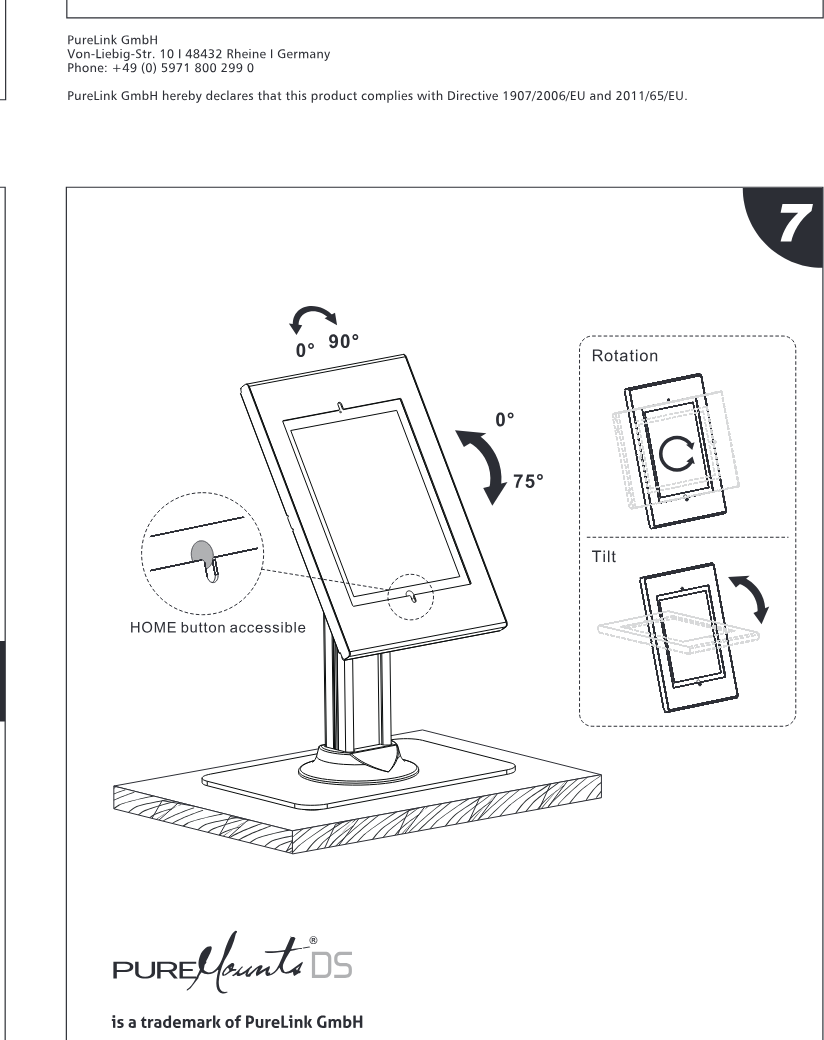
Step 7
0°~ 90°
Rotation
0°~ 75°
Tilt
HOME button accessible
PURE is a trademark of PureLink GmbH
Von-Liebig-Straße 10
D-48432 Rheine
Germany
Samsung® and Samsung® product names / Apple® and Apple® product names referred to on the package and product information are trademarks or registered trademarks of Samsung Electronics Co., Ltd. / Apple Computer, Inc. All other product names and services may be trademarks or service marks of their respective owners.
Pictures of iPad / iPad Pro/ iPad Air / Samsung Galaxy Tab A (2019) are for illustration purpose only. The iPad / iPod / iPad Air / Samsung Galaxy Tab A (2019) are not included.
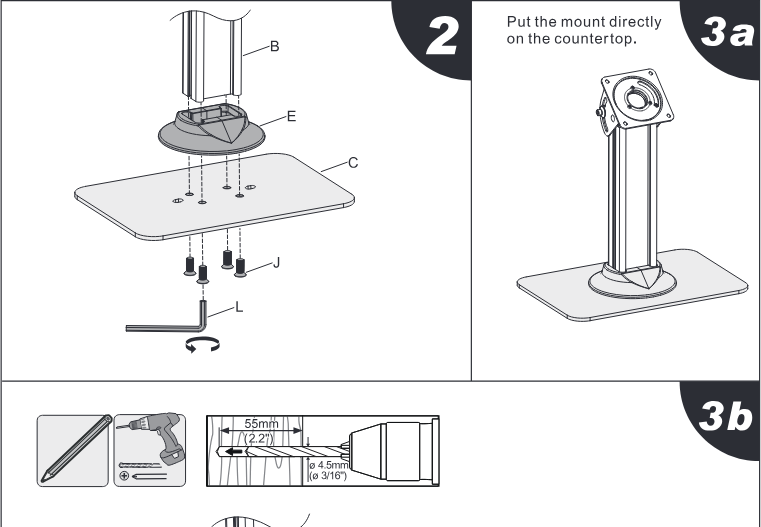
Step 2
3a
Put the mount directly on the countertop.
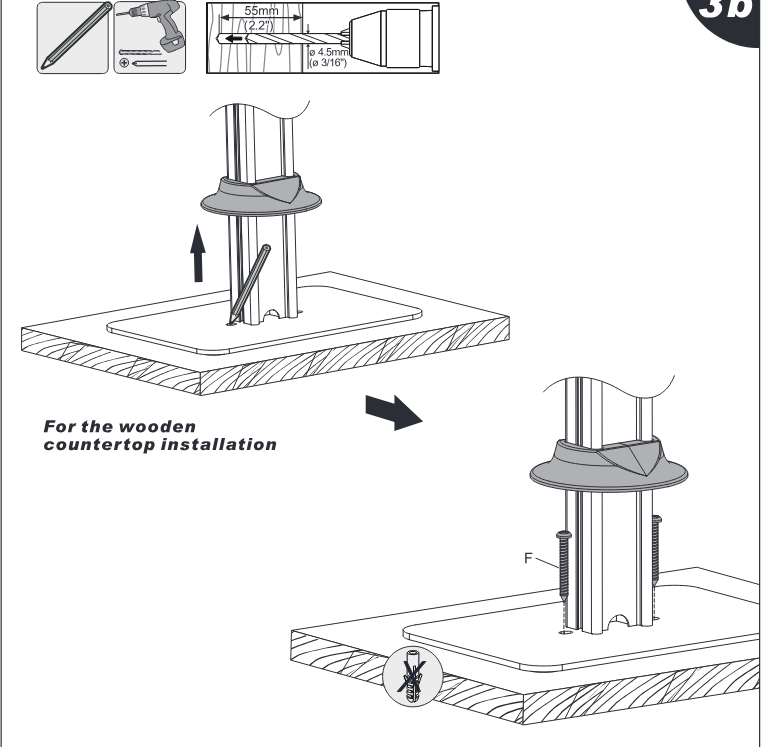
3b
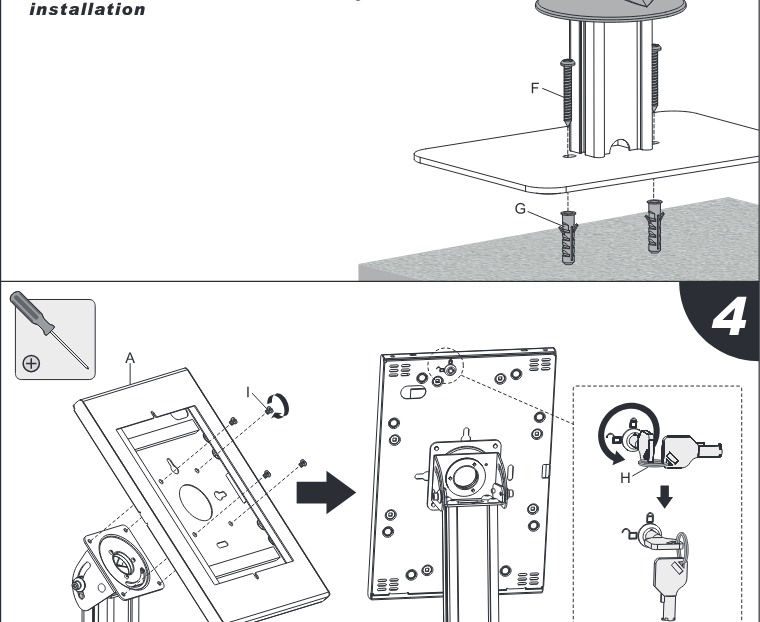
For the wooden countertop installation
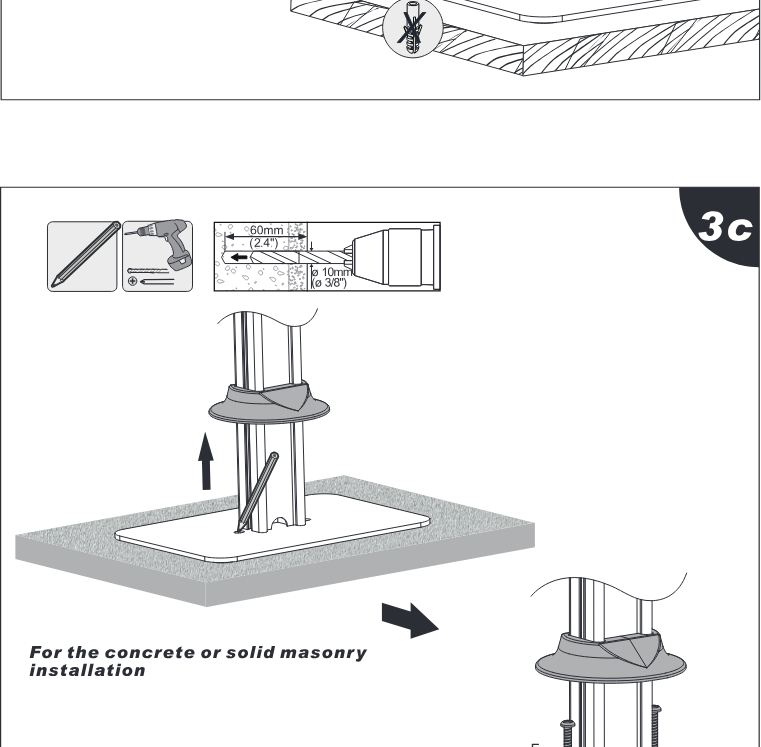
3c
For the concrete or solid masonry installation
Step 4
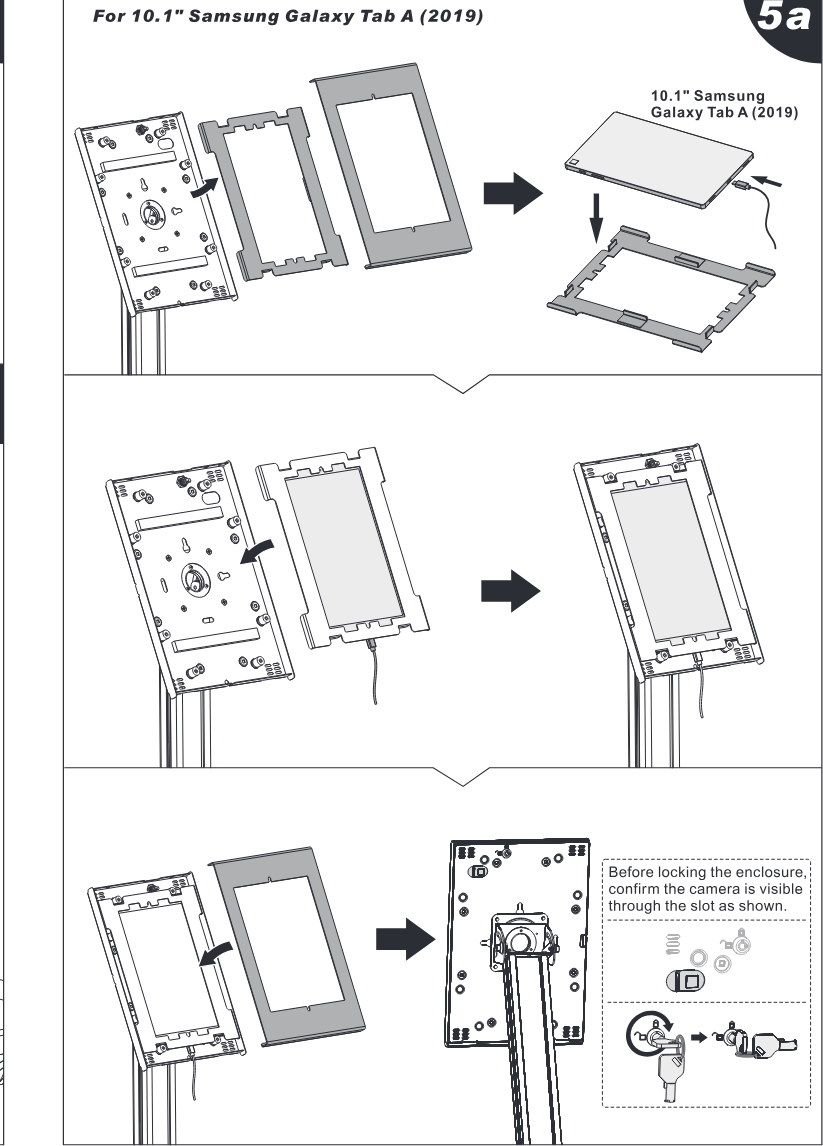
5a
For 10.1" Samsung Galaxy Tab A (2019)
10.1" Samsung Galaxy Tab A (2019)
Before locking the enclosure, confirm the camera is visible through the slot as shown.
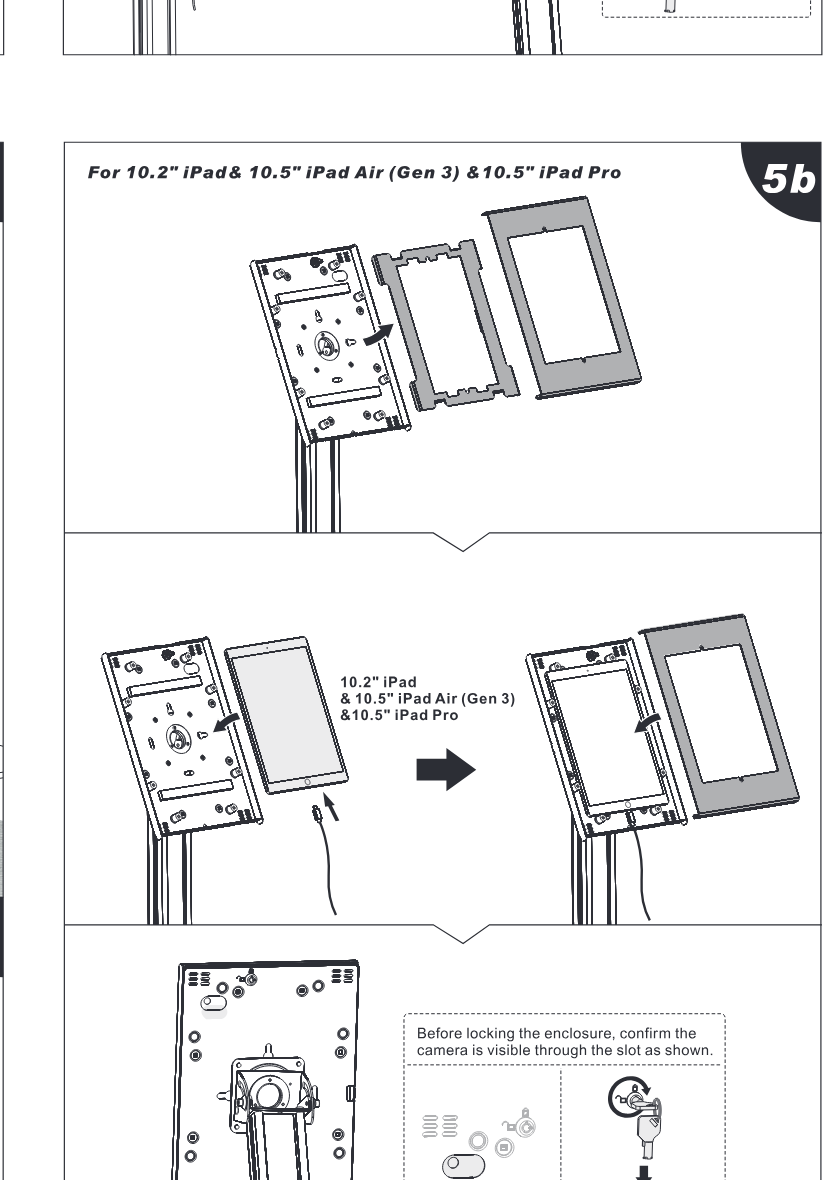
5b
For 10.2" iPad6 10.5" iPad Air (Gen 3) & 10.5" iPad Pro
10.2" iPad & 10.5" iPad Air (Gen 3) & 10.5" iPad Pro
Before locking the enclosure, confirm the camera is visible through the slot as shown.
Legal & Compliance
Product identification
Model: PDS-5910 – manual version 1.0
Warranty and liability
The manufacturer grants the full statutory warranty on all new devices. As the manufacturer has no influence on installation, the warranty only applies to the product itself. If you detect a fault or damage, please contact your dealer and provide your sales slip or invoice as proof of purchase.
The manufacturer is not liable for damage to persons or property caused by improper installation, operation or maintenance not described in this manual. Do not alter or modify the product or its accessories. Any use other than described in this manual is not permitted and voids warranty and guarantee.
Trademarks and disclaimer
Product model and logo are trademarks. All other company and product names mentioned are trademarks of their respective owners. All rights reserved. No part of this publication may be copied or reproduced without prior written permission. We reserve the right to make changes to the device, packaging or manual and accept no liability for misprints.
EU conformity
PureLink GmbH hereby declares that this product complies with Directive 1907/2006/EU and 2011/65/EU.
| Directive / Regulation |
|---|
| 1907/2006/EU |
| 2011/65/EU |
The full text of the EU Declaration of Conformity is available at: www.purelink.de
Packaging
Dispose of packaging separately by material (paper/cardboard, plastics) via the local collection systems. Keep packaging material away from children – risk of suffocation. Packaging register LUCID: DE5958616449295.