
INSTALLATION MANUAL
Read this entire instruction manual before you start installation and assembly. If you have any questions regarding any of the instructions or warnings, please contact your local distributor for assistance.
Caution: Use with products heavier than the maximum weight indicated may result in instability causing possible injury.
Caution: The installer of these products must verify that the mounting surface, ceiling or wall, will safely support the combined weight of all attached hardware and components.
Note: Do not exceed the maximum weight capacity.
Safety instruction:
- This product is designed for mounting monitors only.
- Use the mounting instructions as supplied.
- The installation must be done by two people.
- Improper installation may cause damage or serious injury.
- Make sure all screws are fully tightened. Check periodically to ensure all screws remain secure.
- Do not install the product near sources of heat or moisture.
- Indoor use only.
- When moving the mount, take care to avoid injury or damage to property.
- Keep out of reach of children.
Note: Dispose of packaging materials in accordance with local and national regulations.
Note: Do not use chemical cleaners. Clean with a dry soft cloth to avoid scratching the finish.
Note: Contact your local distributor for any questions or additional information.
PURE Mounts
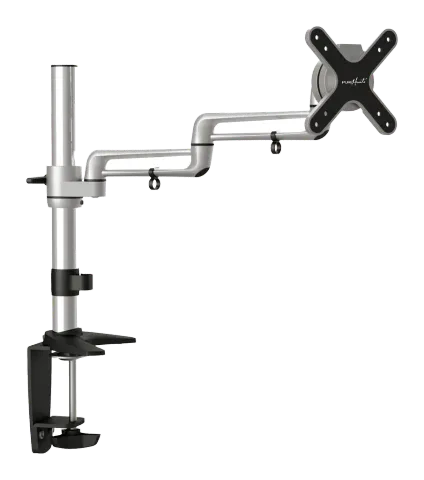
Monitor desk mount illustration
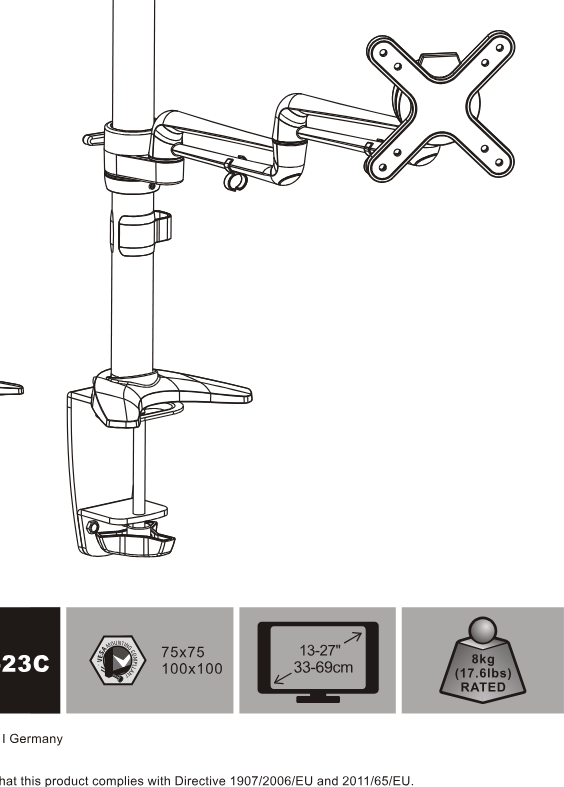
PM-STYLE-DM-23C
75x75 100x100
13"-27" 33-68cm
7 kg RATED
PureLink GmbH
PureLink, Von-Liebig-Str. 10 | 48432 Rheine | Germany
Phone: +49 (0) 5971 800 299-0
Note: PureLink GmbH hereby declares that this product complies with Directive 1907/2006/EU and 2011/65/EU.
Step 1
Step 1
Step 2a
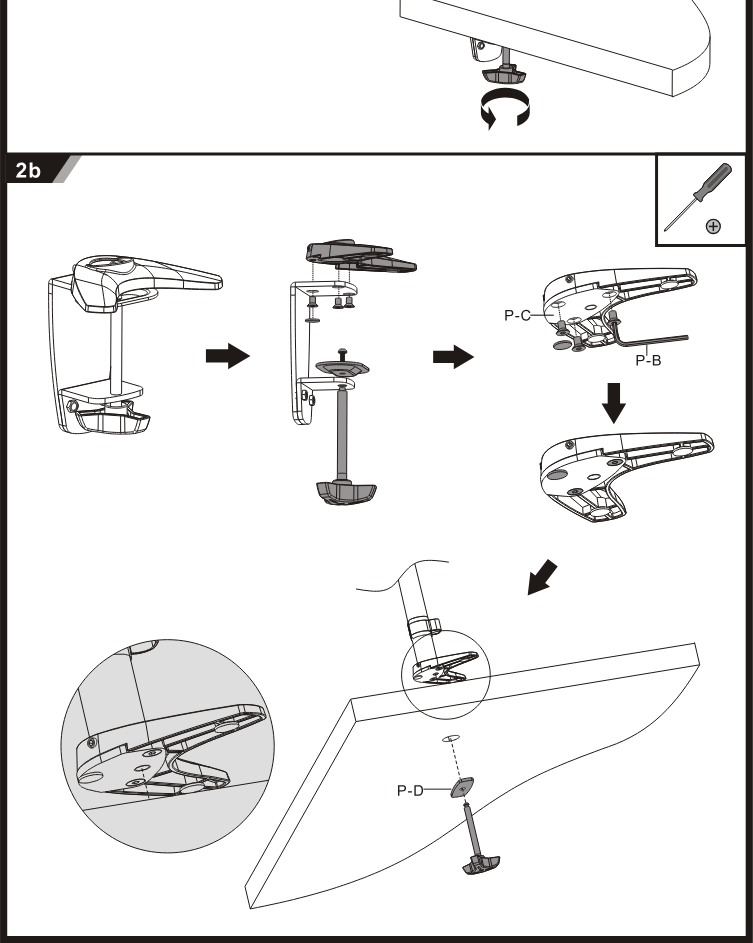
Step 2b
Step 3
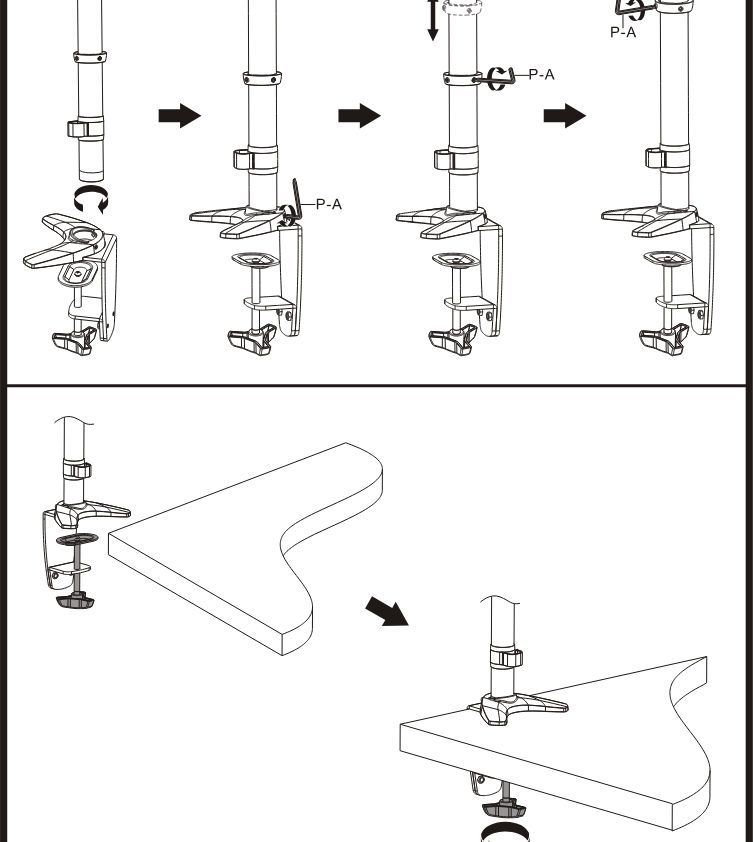
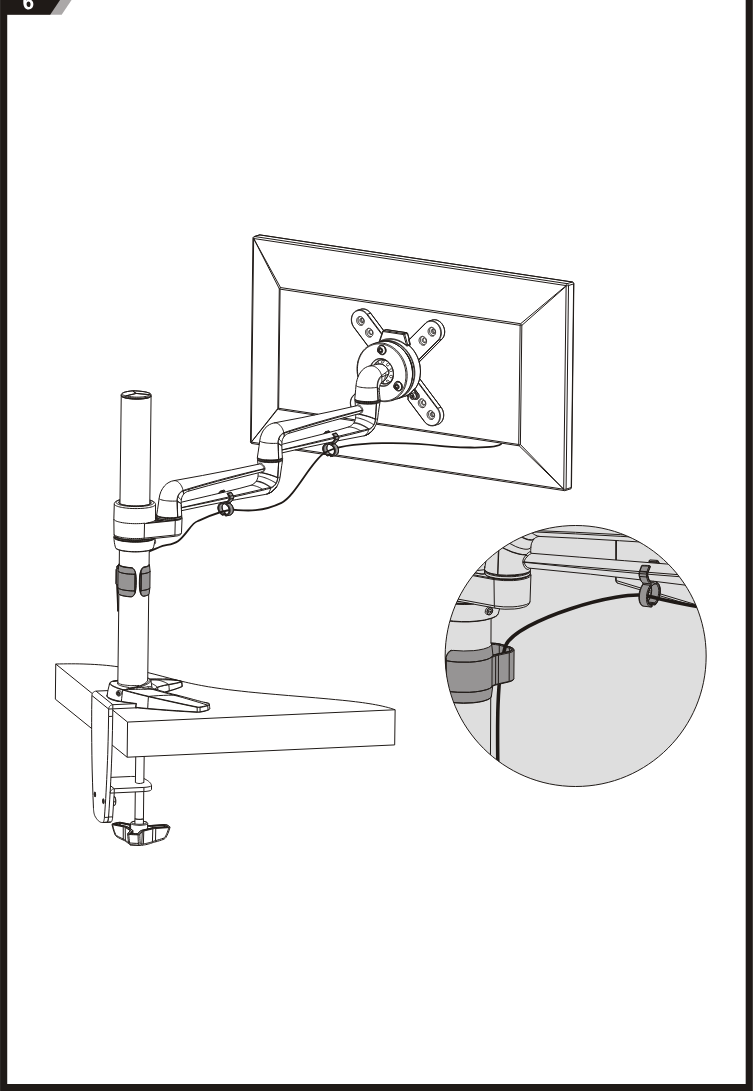
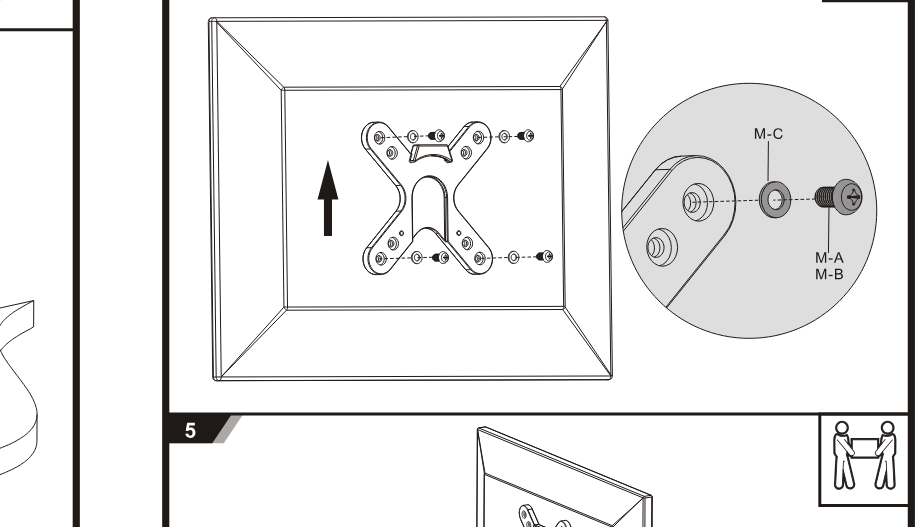
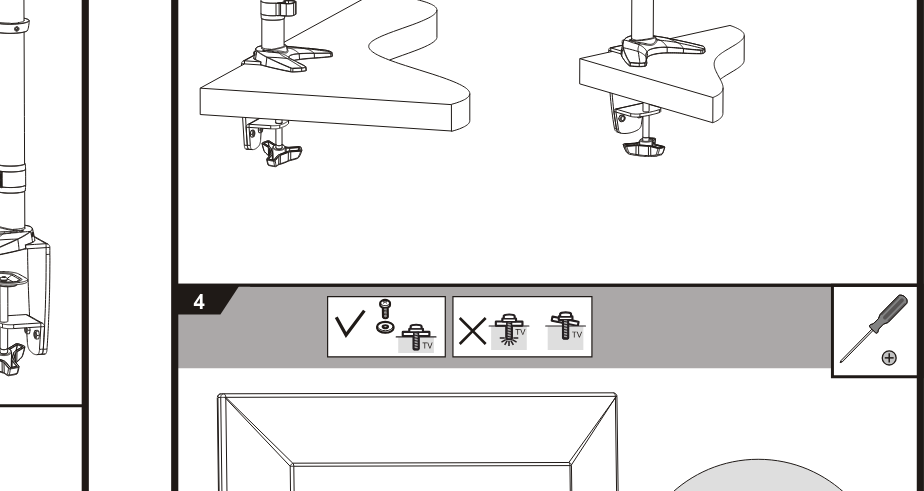
Step 4
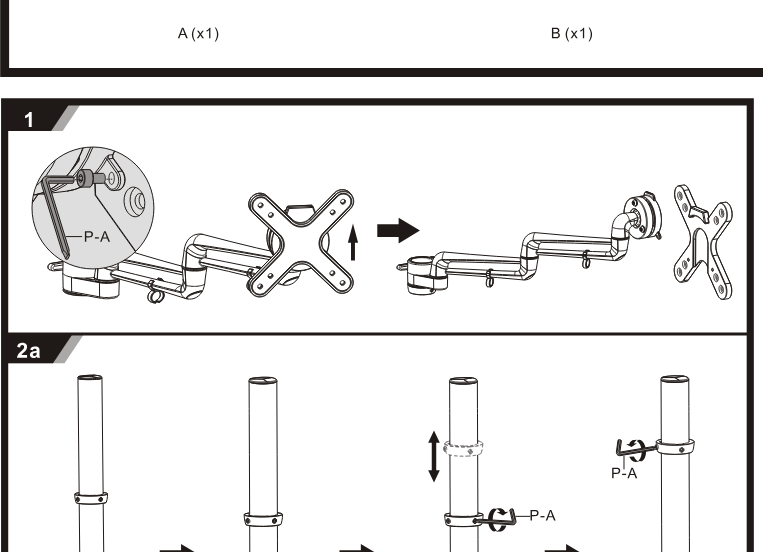
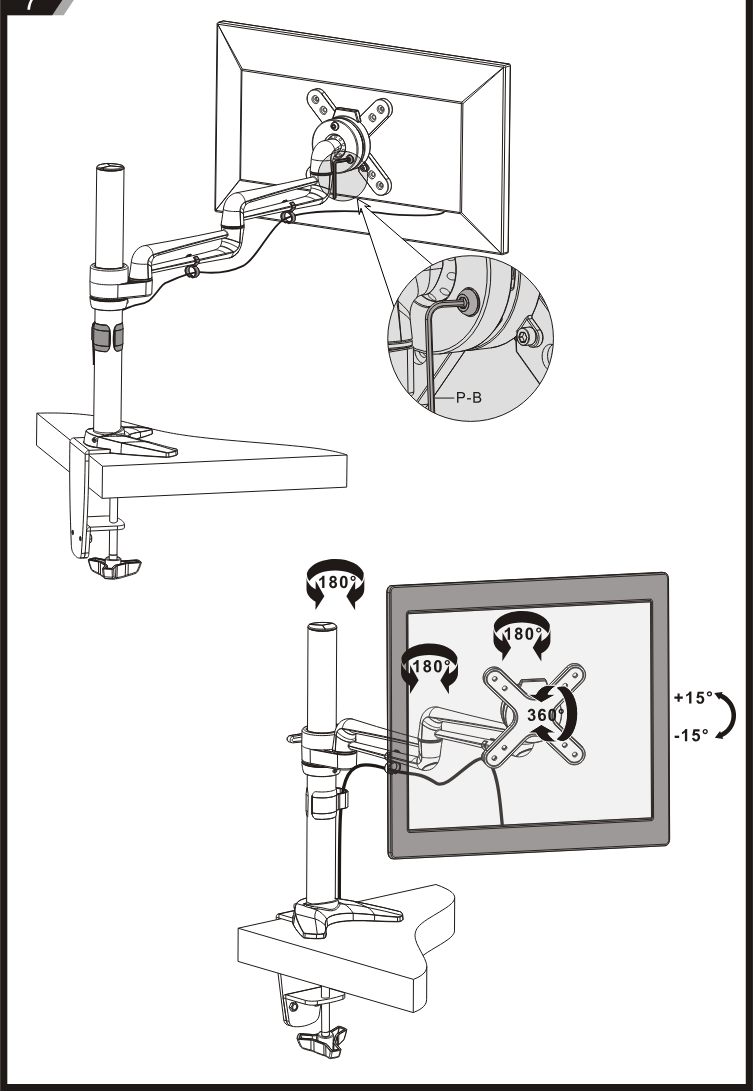
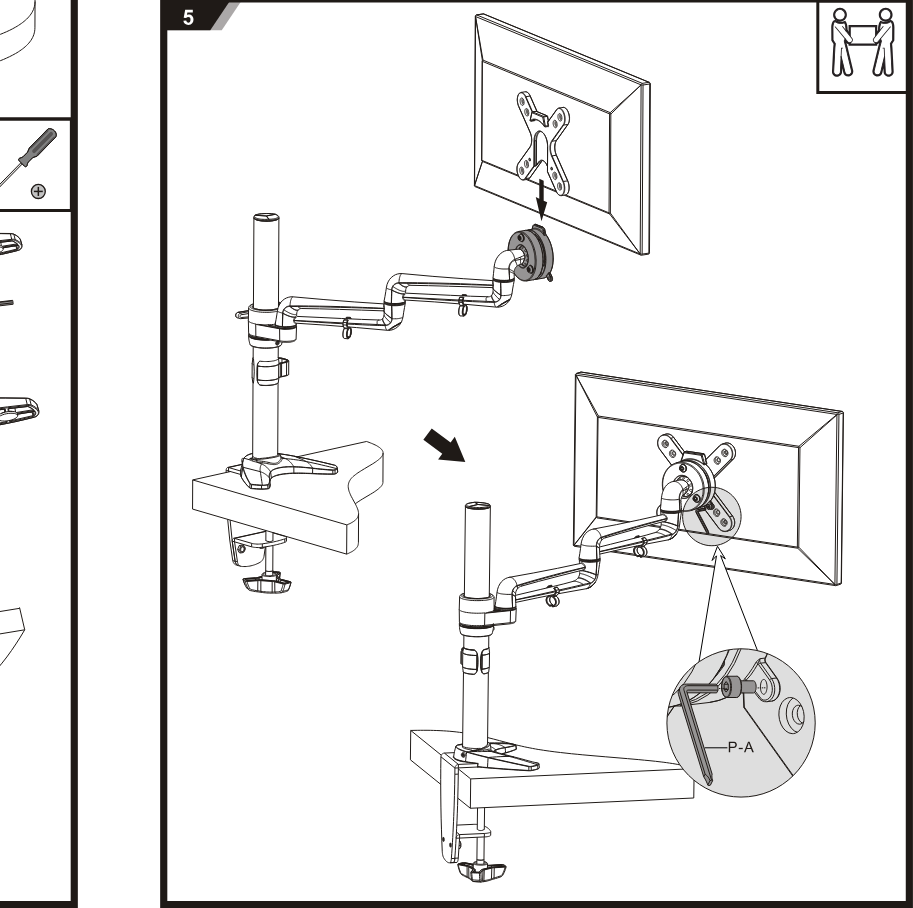
Step 5
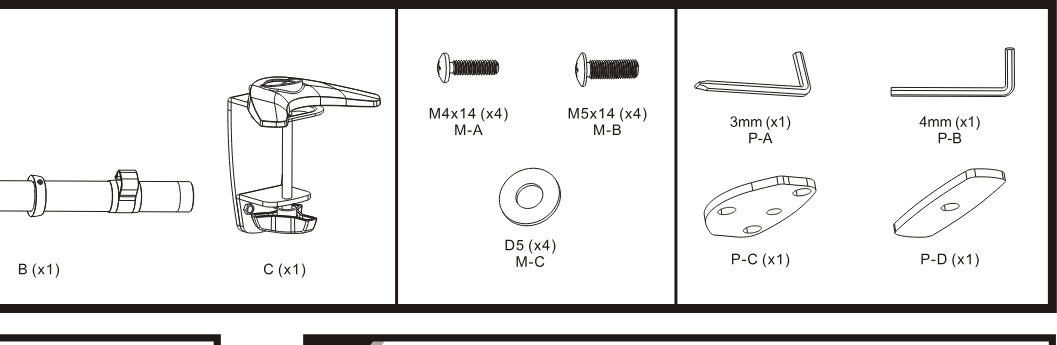
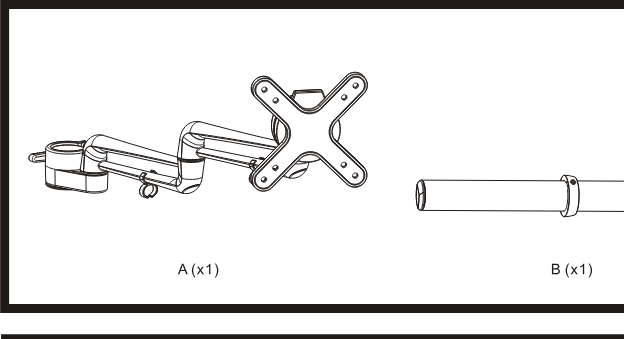
Legal & Compliance
Product identification
Model: PM-STYLE-DM-23C – manual version 1.0
Warranty and liability
The manufacturer grants the full statutory warranty on all new devices. As the manufacturer has no influence on installation, the warranty only applies to the product itself. If you detect a fault or damage, please contact your dealer and provide your sales slip or invoice as proof of purchase.
The manufacturer is not liable for damage to persons or property caused by improper installation, operation or maintenance not described in this manual. Do not alter or modify the product or its accessories. Any use other than described in this manual is not permitted and voids warranty and guarantee.
Trademarks and disclaimer
Product model and logo are trademarks. All other company and product names mentioned are trademarks of their respective owners. All rights reserved. No part of this publication may be copied or reproduced without prior written permission. We reserve the right to make changes to the device, packaging or manual and accept no liability for misprints.
EU conformity
PureLink GmbH hereby declares that this product complies with Directive 1907/2006/EU and 2011/65/EU.
| Directive / Regulation |
|---|
| 1907/2006/EU |
| 2011/65/EU |
The full text of the EU Declaration of Conformity is available at: www.purelink.de
Packaging
Dispose of packaging separately by material (paper/cardboard, plastics) via the local collection systems. Keep packaging material away from children – risk of suffocation. Packaging register LUCID: DE5958616449295.