
Discontinued
PRO-HTX-8800-U
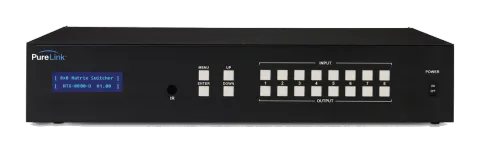
HDTools 8x8 HDMI HDBaseT Matrix - Ultra HD
HDTools 8x8 HDMI HDBaseT Matrix - Ultra HD.
ManualControl (TCP/IP)FAQCEAvailable control interfaces. Expand an active type to see the full command table.
No matching commands.
Command Code Format2 commandsActive
Source: manual, chapter Command Code Formats, page 18
| Command | Description | Example | Response | |
|---|---|---|---|---|
| *999CI01O01! | Create connection on (I01) Input 01 to (O01) Output 01 | *999CI01O01! | *999sC I01O01! | |
| *999?O03! | Verify the status of switches | *999?O03! | *999s? I03O03! |
General Rules for Command Codes3 commandsActive
Source: manual, chapter General Rules for Command Codes, page 18
| Command | Description | Example | Response | |
|---|---|---|---|---|
| *999CI01O01! | Start ( * ) + Router ID (999) + Command (C) + Input number (I01) + Output number (O01) + End ( ! ) + Enter (↵ ) | |||
| *999CI01O01,02,03! | Connects Input 01 to Output 01, 02, and 03 | *999CI01O01,02,03! ↵ | ||
| *999CI01O01-04! | Connects Input 01 to Output 01,02,03, and 04 | *999CI01O01-04! ↵ |
RS-232 Commands6 commandsActive
Source: manual, chapter Connecting Switches, page 21
| Command | Description | Example | Response | |
|---|---|---|---|---|
| *999CI#O#! | Connect a switch by replacing the '#'s with the input and output number(s). | *999CI01O01! Connect Input 1 to Output 1 | ||
| *999CI01O04,I04O02! | Connect Input 1 to Output 4 and Input 4 to Output 2 | |||
| *999CI01O01,I02O02,I03O03! | Connect Input 1 to Output 1, Input 2 to Output 2, and Input 3 to Output 3 | |||
| *999CI01O01,02,03! | Connect Input 1 to Output 1, 2, and 3 | |||
| *999CI01O01-04! | Connect Input 1 to Output 1, 2, 3, and 4 | |||
| *999PTP! | Connect Input 1 to Output 1, Input 2 to Output 2, Input 3 to Output 3 and Input 4 to Output 4 |
RS-232 Commands14 commandsActive
Source: manual, chapter 2.7 Disconnecting Switches
| Command | Description | Response | |
|---|---|---|---|
| *999DI#O#! ↵ | Disconnect command. Replace the “#”s with the input and output number(s). | ||
| *999DI01O00! ↵ | Disconnect Input 1 to no Output (00) | ||
| *999DI00O03,04! ↵ | Disconnects Outputs 3, and 4 | ||
| *999DI00O03-04! ↵ | Disconnects output 3, and 4 | ||
| *999DALLIO! ↵ | Disconnects all inputs and outputs | ||
| *999EDIDI01E3! ↵ | EDID Setting | ||
| *999BeepON! ↵ | Beep On | ||
| *999BeepOFF! ↵ | Beep Off | ||
| *999lockon! ↵ | Front panel buttons Lock On | ||
| *999lockoff! ↵ | Front panel buttons Lock Off | ||
| *999poweron! ↵ | Power on | ||
| *999poweroff! ↵ | Power off | ||
| *999restore! ↵ | Factory setting restore | ||
| *999reboot! ↵ | Reboot |
RS-232 Commands5 commandsActive
Source: manual, chapter 2.8 Status Check
| Command | Description | Example | Response | |
|---|---|---|---|---|
| *999?I#!↵ | Check Output connection status on Input # | *999?I01! ↵ | ||
| *255?O#! ↵ | Check Input connection status on Output # | *999?O04! ↵ | ||
| *999?ALLIO! ↵ | Check all Input and Output connection status | |||
| *999?EDIDi01! ↵ | Input EDID status. i01 = input 1 i02 = input 2 i03 = input 3 i04 = input 4 | |||
| *999?version! ↵ | Firmware version check |