
Discontinued
PT-PSW-41H
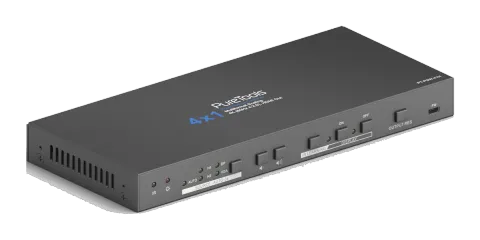
4x1 4K Multiformat Presentation Switcher with Scaler
The PureTools Scaler Switcher 4x1 is a multiformat presentation switcher that provides 2 HDMI, 1 DP, and 1 VGA input, outputting to HDMI with support for up to 4K UltraHD resolution at 60Hz. It features up- and …
ManualControl (TCP/IP)FAQSpecificationsDatasheetFirmwareCEAvailable control interfaces. Expand an active type to see the full command table.
No matching commands.
RS-232 Commands4 commandsActive
Source: manual, chapter Display Control, page 13
| Command | Description | Example | Response | |
|---|---|---|---|---|
| /-ax:XX XX XX XX | "x" represents the baud rate: x=0(2400)/1(4800)/2(9600)/3(19200)/4(38400)/5(57600)/6(115200). " XX XX XX XX " is display control command (HEX, max 48 byte). For example: /-ax:30 31 32 33 XX XX XX XX (30 31 32 33) | |||
| /+ax:XXXXXXX | "x" represents the baud rate: x=0(2400)/1(4800)/2(9600)/3(19200)/4(38400)/5(57600)/6(115200). " XXXXXXX " is display control command (ASCII, max 48 byte). /+ax:0123456 | XXXXXXX (0123456) | /+ax:0123456 | ||
| /-Ax:XX XX XX XX | "x" represents the baud rate: x=0(2400)/1(4800)/2(9600)/3(19200)/4(38400)/5(57600)/6(115200). " XX XX XX XX " is display control command (HEX, max 48 byte). For example: /-ax:30 31 32 33 XX XX XX XX (30 31 32 33) | |||
| /-Ax:XXXXXXX | "x" represents the baud rate: x=0(2400)/1(4800)/2(9600)/3(19200)/4(38400)/5(57600)/6(115200). " XXXXXXX " is display control command (ASCII, max 48 byte). /+ax:0123456 | XXXXXXX (0123456) | /+ax:0123456 |
RS-232 Commands31 commandsActive
Source: manual, chapter RS232 Command, page 18
| Command | Description | Response | |
|---|---|---|---|
| SFUD | Software upgrading | Software Update | |
| GET VER | Check the software version | Version Vx.x.x | |
| FRST | Restore factory default | Factor Reset | |
| WAKE | Wake up the system | Wake Up | |
| STBY | Turn the system to standby mode | Go To Standby | |
| GET STA | Get the system status | Input:VGA Resolution: 1920x1080 Manual Switching Source Volume: 60 EDID: Initial HDCP: ON | |
| SWIN H1 | Switch to HDMI input | Switch to hdmi | |
| SWIN H2 | Switch to HDMI2 | Switch to hdmi2 | |
| SWIN DP | Switch to DP | Switch to dp | |
| SWIN VG | Switch to VGA input | Switch to vga | |
| AUTO 01 | Enable auto switching | Auto Switching | |
| AUTO 00 | Disable auto switching | Manual Switching | |
| AUMT S1 | Mute source audio | Audio Mute Source: Enable | |
| AUMT S0 | Unmute source audio | Audio Mute Source: Disable | |
| VOLS AP | Increase the source volume to xx (xx=0~60) | Source Volume: xx | |
| VOLS AN | Decrease the source volume to xx (xx=0~60) | Source Volume: xx | |
| VOLS xx | Set the source volume to xx (xx=0~60) | Source Volume: xx | |
| SRES 01 | Change output resolution to 3840x2160 | Resolution: 3840x2160 | |
| SRES 02 | Change output resolution to 1920x1080 | Resolution: 1920x1080 | |
| SRES 03 | Change output resolution to 1280x720 | Resolution: 1280x720 | |
| VGAA | Automatic image correction for VGA input | VGA Input Auto | |
| EDID DF | EDID default | EDID: Initial | |
| EDID MN | Get the EDID data from display | EDID: Manage | |
| EDID US | When the command applied, system prompts to upload the user-defined EDID file (.bin) from U-disk. | EDID: User | |
| BAUD 115200 | Set RS232 baudrate to 115200 | Set Baudrate 115200 | |
| BAUD 57600 | Set RS232 baudrate to 57600 | Set Baudrate 57600 | |
| BAUD 38400 | Set RS232 baudrate to 38400 | Set Baudrate 38400 | |
| BAUD 19200 | Set RS232 baudrate to 19200 | Set Baudrate 19200 | |
| BAUD 9600 | Set RS232 baudrate to 9600 | Set Baudrate 9600 | |
| BAUD 2400 | Set RS232 baudrate to 2400 | Set Baudrate 2400 | |
| BAUD 4800 | Set RS232 baudrate to 4800 | Set Baudrate 4800 |