
Attivo
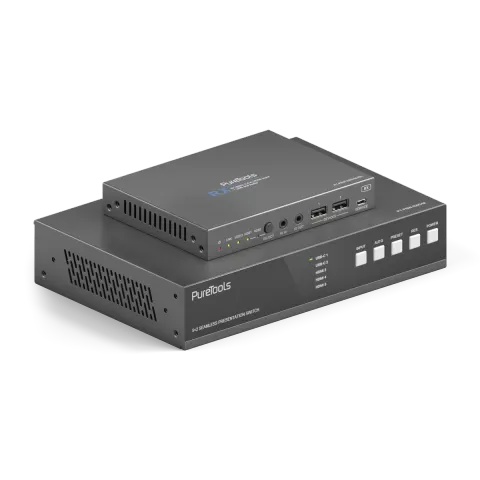
PT-PSW-52KVM
Set di commutatori di collaborazione USB-C da 18 Gbps con Dante e Multi-View
Il PT-PSW-52KVM è uno switcher di collaborazione 5x2 HDBaseT 3.0 che supporta la selezione della sorgente tra interfacce HDMI, USB-C DP Alt-Mode e USB-B. Consente la trasmissione di segnali 4K non compressi a 18Gbps …
ManualeComandi (TCP/IP)FAQSpecificheScheda tecnicaInterfaccia webFirmwareDichiarazione CE ↗Interfacce di controllo disponibili. Espanda un tipo attivo per visualizzare la tabella completa dei comandi.
Nessun comando corrispondente.
Comandi RS23261 comandiAttivo
ConnessioneVelocità di trasmissione: 9600 (predefinita), Bit dati: 8bit, Bit di stop: 1, Bit di parità: nessuno↓ CSV
Fonte: manuale, capitolo RS-232 Control Command, pagina 31
| Comando | Descrizione | Esempio | Risposta | |
|---|---|---|---|---|
| help | Ottieni l'elenco di tutti i comandi | help | =================== Help Info MCU 1.1.0 Web 1.1.0 Scaler 20230228-10 FPGA 1.1.0 RX 1.18.02 help Get the list of all commands | |
| r type | Ottieni il modello del dispositivo | r type | PT-PSW-52KVM | |
| r status | Ottieni lo stato corrente del dispositivo | r status | Please refer to the note at the end of the list. | |
| r fw version | Ottieni versione firmware | r fw version | MCU 1.1.0 Web 1.1.0 Scaler 20230228-10 FPGA 1.1.0 RX 1.18.02 | |
| s power on | Accendi il dispositivo | s power on | Power on System Initializing... Initialization Finished! MCU 1.1.0 Web 1.1.0 Scaler 20230228-10 FPGA 1.1.0 RX 1.18.02 | |
| s power off | Spegni il dispositivo | s power off | Power off | |
| r power | Ottieni lo stato corrente di alimentazione | r power | power on /power off | |
| s reboot | Riavvia il dispositivo | s reboot | Reboot… System Initializing... Initialization Finished! MCU 1.1.0 Web 1.1.0 Scaler 20230228-10 FPGA 1.1.0 RX 1.18.02 | |
| s reset | Reimposta ai valori predefiniti di fabbrica | s reset | Reset to factory defaults System Initializing... Initialization Finished! MCU 1.1.0 Web 1.1.0 Scaler 20230228-10 FPGA 1.1.0 RX 1.18.02 | |
| s front button x | Imposta blocco tasto frontale on/off (x=0~1) 0. Sbloccato 1. Bloccato | s front button 0 | Front button: Unlocked | |
| r front button | Ottenere lo stato on/off del blocco dei tasti frontali | r front button | Front button: Unlocked | |
| s beep x | Imposta buzzer acceso/spento (x=0~1) 0. Spento 1. Acceso | s beep 1 | Beep: On | |
| r beep | Ottieni lo stato on/off del buzzer | r beep | Beep: Off | |
| s ir x | Imposta IR on/off (x=0~1) 0. Spento 1. Acceso | s ir 1 | IR: On | |
| r ir | Ottieni stato acceso/spento IR | r ir | IR: Off | |
| s UsbcAccessNetwork x | Attiva/disattiva funzione accesso rete USB-C (x=0~1) 0. Off 1. On | s UsbcAccessNetwork 1 | USB-C Access Network: On | |
| r UsbcAccessNetwork | Ottieni on/off funzione accesso rete USB-C | r UsbcAccessNetwork | USB-C Access Network: On | |
| s fan speed x | Imposta la velocità della ventola (x=0~4) 0. Auto 1. 25% 2. 50% 3. 75% 4. 100% | s fan speed 0 | Fan Speed: Auto | |
| r fan speed | Ottenere la velocità della ventola | r fan speed | Fan Speed: Auto | |
| r temp | Ottieni la temperatura interna del dispositivo | r temp | Temp: 65C | |
| r input x EDID | Ottenere la modalità EDID dell'input (x=0~5) x=0: tutti gli input x=1: USB-C 1 x=2: USB-C 2 x=3: HDMI 3 x=4: HDMI 4 x=5: HDMI 5 | r input 0 EDID | Input USB-C 1 EDID: Auto Input USB-C 2 EDID: Auto Input HDMI 3 EDID: Auto Input HDMI 4 EDID: Auto Input HDMI 5 EDID: Auto | |
| r input x EdidData | Ottenere i dati EDID dell'input (x=0~5) x=0: tutti gli input x=1: USB-C 1 x=2: USB-C 2 x=3: HDMI 3 x=4: HDMI 4 x=5: HDMI 5 | r input 0 EdidData | Input USB-C 1 EDID Data: Input USB-C 2 EDID Data: Input HDMI 3 EDID Data: Input HDMI 4 EDID Data: Input HDMI 5 EDID Data: | |
| s input x EDID y | Imposta EDID input (x=0~5) (y=1~16) x=0: tutti gli input x=1: USB-C 1 x=2: USB-C 2 x=3: HDMI 3 x=4: HDMI 4 x=5: HDMI 5 y=1: Auto (HDBT o HDMI o HDBT+HDMI) y=2: Copia HDMI OUT y=3: Copia HDBT OUT y=4: 4K2K60_444, Audio Stereo 2.0 y=5: 4K2K30_444, Audio Stereo 2.0 y=6: 1080P, Audio Stereo 2.0 y=7: 720p, Audio Stereo 2.0 y=8: 1920x1200, Audio Stereo 2.0 y=9: 1680x1050, Audio Stereo 2.0 y=10: 1600x1200, Audio Stereo 2.0 y=11: 1440x900, Audio Stereo 2.0 y=12: 1360x768, Audio Stereo 2.0 y=13: 1280x1024, Audio Stereo 2.0 y=14: 1024x768, Audio Stereo 2.0 y=15: Definito dall'utente 1 y=16: Definito dall'utente 2 | s input 0 EDID 1 | Input USB-C 1 EDID: Auto Input USB-C 2 EDID: Auto Input HDMI 3 EDID: Auto Input HDMI 4 EDID: Auto Input HDMI 5 EDID: Auto | |
| s output res x | Imposta Risoluzione Output (x=1~15) x=1: Auto x=2: 3840x2160p60 x=3: 3840x2160p50 x=4: 4096x2160p60 x=5: 4096x2160p50 x=6: 3840x2160p30 x=7: 3840x2160p25 x=8: 1920x1200p60RB x=9: 1920x1080p60 x=10: 1920x1080p50 x=11: 1360x768p60 x=12: 1280x800p60 x=13: 1280x720p60 x=14: 1280x720p50 x=15: 1024x768p60 | s output res 1 | Out Resolution: Auto | |
| r output res | Ottieni risoluzione output | r output res | Out Resolution: Auto | |
| s output x hdcp y | Imposta HDCP output (x=0~2) (y=1~3) x=0: tutti gli output (HDMI/HDBT) x=1: Output HDMI x=2: Output HDBT y=1: Auto y=2: HDCP 1.4 y=3: HDCP 2.2 | s output 0 hdcp 1 | Output HDMI HDCP: Auto Output HDBT HDCP: Auto | |
| r output x hdcp | Ottieni stato hdcp output (x=0~2) x=0: tutti gli output (HDMI/HDBT) x=1: output HDMI x=2: output HDBT | r output 0 hdcp | Output All HDCP: Auto | |
| s output avmute x | Imposta avmute Output acceso/spento (x=0~1) x=0: Spento x=1: Acceso | s output avmute 1 | Output AV Mute: On | |
| r output avmute | Ottieni stato on/off avmute output | r output avmute | Output AV Mute: On | |
| s output freeze x | Imposta freeze Output acceso/spento (x=0~1) x=0: Spento x=1: Acceso | s output freeze 1 | Output Freeze: On | |
| r output freeze | Ottieni stato on/off freeze output | r output freeze | Output Freeze: On | |
| s output itc x | Imposta modalità video Output (x=1~2) x=1: Modalità video x=2: Modalità PC | s output itc 1 | Output ITC: Video Mode | |
| r output itc | Ottieni modalità video output | r output itc | Output ITC: Video Mode | |
| s main in audio x | Imposta audio Main In (HDMI/USB-C In) da (x=1~6) x=1: Finestra 1 x=2: USB-C 1 x=3: USB-C 2 x=4: HDMI 3 x=5: HDMI 4 x=6: HDMI 5 | s main in audio 1 | Main In Audio: Window 1 | |
| r main in audio | Ottieni sorgente audio Main In (HDMI/USB-C In) | r main in audio | Main In Audio: Window 1 | |
| s output x audio y | Imposta sorgente audio output (x=0~3) da (y=1~3) x=0: tutti gli output (HDMI/HDBT, Linea, Dante) x=1: HDMI/HDBT Out x=2: Line Out x=3: Dante Out y=1: Main In (HDMI/USB-C In) y=2: Line In y=3: Dante In | s output 0 audio 1 | Output HDMI/HDBT Audio: Main In (HDMI/USB-C In) Output Line Audio: Main In (HDMI/USB-C In) Output Dante Audio: Main In (HDMI/USB-C In) | |
| r output x audio | Ottieni la sorgente audio dell'Output (x=0~3) x=0: tutti gli output (HDMI/HDBT, Linea, Dante) x=1: Output HDMI/HDBT x=2: Output Linea x=3: Output Dante | r output 1 audio | Output HDMI/HDBT Audio: Main In (HDMI/USB-C In) | |
| s input x audio vol+ | Aumenta il volume audio input (x=0~3) x=0: tutti gli input (HDMI/USB-C, Line, Dante) x=1: Main In (HDMI/USB-C In) x=2: Line In x=3: Dante In | s input 1 audio vol+ | Input Main In (HDMI/USB-C In) Audio Volume: 50 | |
| s input x audio vol- | Riduci il volume audio dell’input (x=0~3) x=0: tutti gli input (HDMI/USB-C, Line, Dante) x=1: Main In (Input HDMI/USB-C) x=2: Line In x=3: Dante In | s input 1 audio vol- | Input Main In (HDMI/USB-C In) Audio Volume: 50 | |
| s input x audio vol y | Imposta valore volume audio input (x=0~3) (y=0~100) x=0: tutti gli input (HDMI/USB-C, Linea, Dante) x=1: Input principale (HDMI/USB-C) x=2: Input linea x=3: Input Dante | s input 1 audio vol 50 | Input Main In (HDMI/USB-C In) Audio Volume: 50 | |
| r input x audio vol | Ottenere il valore del volume audio dell'input (x=0~3) x=0: tutti gli input (HDMI/USB-C, Line, Dante) x=1: Input principale (HDMI/USB-C In) x=2: Line In x=3: Dante In | r input 1 audio vol | Input Main(HDMI/USB-C In) Audio Volume: | |
| s input x audio mute y | Imposta mute audio input (x=0~3) on/off (y=0~1) x=0: tutti gli input (HDMI/USB-C, Linea, Dante) x=1: Input principale (HDMI/USB-C) x=2: Input linea x=3: Input Dante y=0: mute disattivato y=1: mute attivato | s input 0 audio mute 1 | Input Main(HDMI/USB-C In) Audio Mute: On Input Line Audio Mute: On Input Dante Audio Mute: On | |
| r input x audio mute | Ottenere mute audio on/off dell'input (x=0~3) x=0: tutti gli input (HDMI/USB-C, Line, Dante) x=1: Input principale (HDMI/USB-C In) x=2: Line In x=3: Dante In | r input 0 audio mute | Input Main (HDMI/USB-C In) Audio Mute: On Input Line Audio Mute: On Input Dante Audio Mute: On | |
| s master member x y z | Imposta membro uscita master (x/y/z=0~1) x=0: Escludi HDMI/HDBT Out x=1: Includi HDMI/HDBT Out y=0: Escludi Line Out y=1: Includi Line Out z=0: Escludi Dante Out z=1: Includi Dante Out | s master member 1 1 1 | Master Member: 111 | |
| r master member | Ottieni il membro dell'Output master | r master member | Master Member: 111 | |
| s master audio vol+ | Aumenta il volume audio master output | s master audio vol+ | Master Audio Volume: 50 | |
| s master audio vol- | Riduci il volume audio master dell’output. | s master audio vol- | Master Audio Volume: 50 | |
| s master audio vol x | Imposta valore volume audio uscita master (x=0~100) | s master audio vol 50 | Master Audio Volume: 50 | |
| r master audio vol | Ottieni il valore del volume audio dell'Output master | r master audio vol | Master Audio Volume: 50 | |
| s master audio mute x | Imposta mute audio uscita master on/off (x=0~1) x=0: mute disattivato x=1: mute attivato | s master audio mute 1 | Master Audio Mute: On | |
| r master audio mute | Ottieni lo stato di mute audio on/off dell'Output master | r master audio mute | Master Audio Mute: On | |
| s output x audio vol+ | Aumenta il volume audio dell'output (x=0~3) x=0: tutti gli output (HDMI/HDBT, Line, Dante) x=1: Uscita HDMI/HDBT x=2: Uscita Line x=3: Uscita Dante | s output 1 audio vol+ | Output HDMI/HDBT Audio Volume: 50 | |
| s output x audio vol- | Riduci il volume audio dell’output (x=0~3) x=0: tutti gli output (HDMI/HDBT, Line, Dante) x=1: Output HDMI/HDBT x=2: Line Out x=3: Dante Out | s output 1 audio vol+ | Output HDMI/HDBT Audio Volume: 50 | |
| s output x audio vol y | Imposta valore volume audio output (x=0~3) (y=0~100) x=0: tutti gli output (HDMI/HDBT, Linea, Dante) x=1: HDMI/HDBT Out x=2: Line Out x=3: Dante Out | s output 1 audio vol 50 | Output HDMI/HDBT Audio Volume: 50 | |
| r output x audio vol | Ottieni il valore del volume audio dell'Output (x=0~3) x=0: tutti gli output (HDMI/HDBT, Linea, Dante) x=1: Output HDMI/HDBT x=2: Output Linea x=3: Output Dante | r output 1 audio vol | Output HDMI/HDBT Audio Volume: 50 | |
| s output x audio mute y | Imposta mute audio output (x=0~3) acceso/spento (y=0~1) x=0: tutti gli output (HDMI/HDBT, Linea, Dante) x=1: HDMI/HDBT Out x=2: Line Out x=3: Dante Out y=0: mute disattivato y=1: mute attivato | s output 0 audio mute 1 | Output HDMI/HDBT Audio Mute: On Output Line Audio Mute: On Output Dante Audio Mute: On | |
| r output x audio mute | Ottieni lo stato on/off del mute audio dell'Output (x=0~3) x=0: tutti gli output (HDMI/HDBT, Linea, Dante) x=1: Output HDMI/HDBT x=2: Output Linea x=3: Output Dante | r output 0 audio mute | Output HDMI/HDBT Audio Mute: On Output Line Audio Mute: On Output Dante Audio Mute: On | |
| s output x audio mix y | Imposta mix audio output (x=0~3) (y=1~4) x=0: tutti gli output (HDMI/HDBT, Linea, Dante) x=1: HDMI/HDBT Out x=2: Line Out x=3: Dante Out y=1: Stereo y=2: Sinistro y=3: Destro y=4: Sinistro e Destro | s output 0 audio mix 1 | Output HDMI/HDBT Audio Mix: Stereo Output Line Audio Mix: Stereo Output Dante Audio Mix: Stereo | |
| r output x audio mix | Ottieni la modalità mix audio dell'Output (x=0~3) x=0: tutti gli output (HDMI/HDBT, Linea, Dante) x=1: Output HDMI/HDBT x=2: Output Linea x=3: Output Dante | r output 0 audio mix | Output HDMI/HDBT Audio Mix: Stereo Output Line Audio Mix: Stereo Output Dante Audio Mix: Stereo | |
| s output x audio delay y | Imposta ritardo audio output (x=0~3) (y=0~50) x=0: tutti gli output (HDMI/HDBT, Linea, Dante) x=1: HDMI/HDBT Out x=2: Line Out x=3: Dante Out y=[0~50]: Tempo di ritardo, millisecondi | s output 0 audio delay 50 | Output HDMI/HDBT Audio Delay: 50ms Output Line Audio Delay: 50ms Output Dante Audio Delay: 50ms | |
| r output x audio delay | Ottieni il valore del delay audio dell'Output (x=0~3) x=0: tutti gli output (HDMI/HDBT, Linea, Dante) x=1: Output HDMI/HDBT x=2: Output Linea x=3: Output Dante | r output 0 audio delay | Output HDMI/HDBT Audio Delay: 50ms Output Line Audio Delay: 50ms Output Dante Audio Delay: 50ms |
Comandi RS23269 comandiAttivo
ConnessioneVelocità di trasmissione: 115200/57600/56000/38400/19200/9600/4800/2400 Bit dati: 7/8 Parità: n (Nessuna) / o (Dispari) / e (Pari) Bit di stop: 1/2↓ CSV
Fonte: manuale, capitolo RS-232 Control Command, pagina 39
| Comando | Descrizione | Esempio | Risposta | |
|---|---|---|---|---|
| r output x audio delay | Ottieni il valore del delay audio dell'Output (x=0~3) | x=0: tutti gli output (HDMI/HDBT, Linea, Dante) x=1: Output HDMI/HDBT x=2: Output Linea x=3: Output Dante | Output HDMI/HDBT Audio Delay: 50ms Output Line Audio Delay: 50ms Output Dante Audio Delay: 50ms | ||
| s output x audio eq y val z | Imposta indice GEQ audio output (x=0~3) (y=1~31) su valore (z=0~20) | x=0: tutti gli output (HDMI/HDBT, Linea, Dante) x=1: HDMI/HDBT Out x=2: Line Out x=3: Dante Out y=[1~31]: Indice EQ z=[0~20]: Valore EQ | s output 0 audio eq 1 val 20 | Output HDMI/HDBT Audio EQ Index 1 to Value 20 Output Line Audio EQ Index 1 to Value 20 Output Dante Audio EQ Index 1 to Value 20 Output Dante Audio EQ Preset is Flat Mode | |
| r output x audio eq y val | Ottieni il valore Index GEQ audio dell'Output (x=0~3) (y=1~31) | x=0: tutti gli output (HDMI/HDBT, Linea, Dante) x=1: Output HDMI/HDBT x=2: Output Linea x=3: Output Dante y=[1~31]: Index EQ | r output 0 audio eq 1 val | Output HDMI/HDBT Audio EQ Index 1 to Value 20 Output Line Audio EQ Index 1 to Value 20 Output Dante Audio EQ Index 1 to Value 20 | |
| s output x audio eq preset y | Imposta preset GEQ audio output (x=0~3) (y=1~6) | x=0: tutti gli output (HDMI/HDBT, Linea, Dante) x=1: HDMI/HDBT Out x=2: Line Out x=3: Dante Out y=1: Flat y=2: Custom1 y=3: Custom2 y=4: Custom3 y=5: Custom4 y=6: Custom5 | s output 0 audio eq preset 1 | Output HDMI/HDBT Audio EQ Preset 1 Output Line Audio EQ Preset 1 Output Dante Audio EQ Preset 1 | |
| r output x audio eq preset | Ottieni il preset audio GEQ dell'Output (x=0~3) | x=0: tutti gli output (HDMI/HDBT, Linea, Dante) x=1: Output HDMI/HDBT x=2: Output Linea x=3: Output Dante | r output 0 audio eq preset | Output HDMI/HDBT Audio EQ Preset 1 Output Line Audio EQ Preset 1 Output Dante Audio EQ Preset 1 | |
| s output x audio eq reset | Reimposta GEQ audio output (x=0~3) | x=0: tutti gli output (HDMI/HDBT, Linea, Dante) x=1: HDMI/HDBT Out x=2: Line Out x=3: Dante Out | s output 0 audio eq reset | Output HDMI/HDBT Audio EQ Reset Output Line Audio EQ Reset Output Dante Audio EQ Reset | |
| s auto switch x | Abilita/disabilita la funzione di commutazione automatica (x=0~1) | x=0: Disabilita commutazione automatica x=1: Abilita commutazione automatica | s auto switch 0 | Auto Switch: Off | |
| r auto switch | Ottieni la funzione di commutazione automatica | r auto switch | Auto Switch: Off | |
| s input source x | Instrada la sorgente di input all'output (x=1~5) | x=1: USB-C 1 x=2: USB-C 2 x=3: HDMI 3 x=4: HDMI 4 x=5: HDMI 5 | s input source 1 | Input Source: USB-C 1 | |
| r input source | Ottieni sorgente input selezionata output | r input source | Input Source: USB-C 1 | |
| s fallback input x | Imposta la sorgente di input di fallback (x=0~5) | x=0: Input successivo x=1: USB-C 1 x=2: USB-C 2 x=3: HDMI 3 x=4: HDMI 4 x=5: HDMI 5 | s fallback input 0 | Fallback Input: Next Input | |
| r fallback input | Ottenere la sorgente di input di fallback | r fallback input | Fallback Input: Next Input | |
| s multiview x | Imposta modalità di visualizzazione multiview (x=1~5) | x=1: Singolo x=2: PIP x=3: PBP x=4: Triplo x=5: Quad | s multiview 1 | Multiview: Single | |
| r multiview | Ottieni la modalità di visualizzazione multiview | r multiview | Multiview: Single | |
| s window x in y | Imposta la sorgente della finestra (x=0~4) da (y=1~5) | x=0: Tutte le finestre x=1: Finestra 1 x=2: Finestra 2 x=3: Finestra 3 x=4: Finestra 4 y=1: USB-C 1 y=2: USB-C 2 y=3: HDMI 3 y=4: HDMI 4 y=5: HDMI 5 | s window 1 in 1 | Window 1 in USB-C 1 | |
| r window x in | Ottieni sorgente della finestra (x=0~4) | x=0: Tutte le finestre x=1: Finestra 1 x=2: Finestra 2 x=3: Finestra 3 x=4: Finestra 4 | r window 0 in | Window 1 in USB-C 1 Window 2 in USB-C 2 Window 3 in HDMI 3 Window 4 in HDMI 4 | |
| s PIP position x | Imposta posizione finestra PIP (x=1~4) | x=1: Alto Sinistra x=2: Basso Sinistra x=3: Alto Destra x=4: Basso Destra | s PIP position 4 | PIP Position: Right Bottom | |
| r PIP position | Ottieni posizione finestra PIP | r PIP position | PIP Position: Right Bottom | |
| s PIP size x | Ottieni dimensione finestra PIP (x=1~3) | x=1: Piccola x=2: Media x=3: Grande | s PIP size 3 | PIP Size: Large | |
| r PIP size | Ottieni dimensione finestra PIP | r PIP size | PIP Size: Large | |
| s PBP mode x | Imposta modalità visualizzazione finestre PBP (x=1~2) | x=1: Modalità PBP 1 x=2: Modalità PBP 2 | s PBP mode 1 | PBP Mode: Mode 1 | |
| r PBP mode | Ottieni modalità di visualizzazione finestre PBP | r PBP mode | PBP Mode: Mode 1 | |
| s PBP aspect x | Imposta rapporto d'aspetto visualizzazione finestre PBP (x=1~2) | x=1: Schermo intero x=2: 16:9 | s PBP aspect 1 | s PBP aspect 1 | |
| r PBP aspect | Ottieni rapporto aspetto visualizzazione finestre PBP | r PBP aspect | PBP Aspect: Full Screen | |
| s triple mode x | Imposta la modalità di visualizzazione delle tre finestre (x=1~2) | x=1: Modalità Tripla 1 x=2: Modalità Tripla 2 | s triple mode 1 | Triple Mode: Mode 1 | |
| r triple mode | Ottieni la modalità di visualizzazione a tripla finestra | r triple mode | Triple Mode: Mode 1 | |
| s triple aspect x | Imposta il rapporto d’aspetto di visualizzazione delle tre finestre (x=1~2) | x=1: Schermo intero x=2: 16:9 | s triple aspect 1 | Triple Aspect: Full Screen | |
| r triple aspect | Ottieni il rapporto d'aspetto della visualizzazione a tripla finestra | r triple aspect | Triple Aspect: Full Screen | |
| s quad mode x | Imposta modalità visualizzazione finestre quad (x=1~2) | x=1: Modalità Quad 1 x=2: Modalità Quad 2 | s quad mode 1 | Quad Mode: Mode 1 | |
| r quad mode | Ottieni modalità visualizzazione finestre quad | r quad mode | Quad Mode: Mode 1 | |
| s quad aspect x | Imposta rapporto d'aspetto visualizzazione finestre quad (x=1~2) | x=1: Schermo intero x=2: 16:9 | s quad aspect 1 | Quad Aspect: Full Screen | |
| r quad aspect | Ottieni aspect ratio visualizzazione finestre quad | r quad aspect | Quad Aspect: Full Screen | |
| s window x border y | Imposta la modalità del bordo (y=0~9) della finestra specificata (x=0~4) | x=0: Tutte x=1: Finestra 1 x=2: Finestra 2 x=3: Finestra 3 x=4: Finestra 4 y=0: Off y=1: Nero y=2: Rosso y=3: Verde y=4: Blu y=5: Giallo y=6: Magenta y=7: Cyan y=8: Bianco y=9: Grigio | s window 0 border 0 | Window 1 Border: Off Window 2 Border: Yellow Window 3 Border: Off Window 4 Border: Cyan | |
| r window x border | Ottieni la modalità del bordo della finestra specificata (x=0~4) | x=0: Tutte x=1: Finestra 1 x=2: Finestra 2 x=3: Finestra 3 x=4: Finestra 4 | r window 0 border | Window 1 Border: Off Window 2 Border: Yellow Window 3 Border: Off Window 4 Border: Cyan | |
| s rx input x | Imposta la sorgente di ingresso RX (x=1~2) | x=1: HDBT IN x=2: HDMI IN | s rx input 1 | RX Input: HDBT Error,RX not ready! | |
| r rx input | Ottieni sorgente ingresso RX | r rx input | RX Input: HDBT | |
| r rx hdmi5v | Ottieni alimentazione 5V ingresso HDMI RX | r rx hdmi5v | RX HDMI 5V: 1 | |
| r rx host5v | Ottieni alimentazione host USB 5V RX | r rx host5v | RX Host 5V: 1 | |
| s rx auto switch mode x | Imposta la modalità di rilevamento RX Auto Switch (x=1~2) | x=1: TMDS x=2: 5V | s rx auto switch mode 1 | RX Auto Switch Mode: TMDS | |
| r rx auto switch mode | Ottieni modalità rilevamento commutazione automatica RX | r rx auto switch mode | RX Auto Switch Mode: TMDS | |
| s rx auto switch x | Attiva/disattiva RX Auto Switch (x=0~1) | x=0: Off x=1: On | s rx auto switch 1 | RX Auto Switch: On | |
| r rx auto switch | Ottieni on/off commutazione automatica RX | r rx auto switch | RX Auto Switch: On | |
| s cec power on | Impostare comando di accensione CEC | s cec power on | CEC Power On | |
| s cec power off | Impostare comando di spegnimento CEC | s cec power off | CEC Power Off | |
| s auto power feature x | Imposta funzione accensione automatica display on/off (x=0~1) | x=0: Spento x=1: Attivo | s auto power feature 1 | Auto Power Feature: On | |
| r auto power feature | Ottenere lo stato on/off della funzione di accensione automatica del display | r auto power feature | Auto Power Feature: On | |
| s auto power off timer x | Imposta invio comando spegnimento automatico (CEC/RS232) dopo x (x=1~6) | x=1: 5 sec x=2: 10 sec x=3: 30 sec x=4: 1 min x=5: 5 min x=6: 10 min | s auto power off timer 4 | Auto Power Off Timer: 1 min | |
| r auto power off timer | Ottieni il timer di spegnimento automatico | r auto power off timer | Auto Power Off Timer: 1 min | |
| s auto power control x | Imposta controllo funzione accensione automatica tramite (x=1~3) | x=1: CEC x=2: RS232 x=3: CEC e RS232 | s auto power control 1 | Auto Power Control: CEC | |
| r auto power control | Ottieni il tipo di controllo della funzione di accensione automatica | r auto power control | Auto Power Control: CEC | |
| s UsbSwitchMode x | Imposta modalità interruttore USB (x=1~3) | x=1: Modalità automatica (rileva USB 5V quindi commuta) x=2: Modalità manuale x=3: Segui video (HDMI 3 associato a USB Host 3) | s UsbSwitchMode 1 | UsbSwitchMode: Auto mode | |
| r UsbSwitchMode | Ottieni modalità commutazione USB | r UsbSwitchMode | UsbSwitchMode: Auto mode | |
| s UsbManual x | Imposta interruttore USB manuale (x=1~3) | x=1: USB-C 1 x=2: USB-C 2 x=3: USB Host 3 | s UsbManual 3 | UsbManual: USB Host 3 | |
| r UsbSwitchStatus | Ottieni stato commutazione USB | r UsbSwitchStatus | UsbSwitchStatus: USB-C 1 | |
| s serial x setting y | Impostare la configurazione della porta seriale (x=0~2) su y | x=0: Tutte le RS232 (Locali e HDBT) x=1: RS232 Locale x=2: RS232 HDBT y= 115200-8n1 Velocità in baud: 115200/57600/56000/38400/19200/9600/4800/2400 Bit di dati: 7/8 Parità: n (Nessuna) /o(Dispari) /e(Pari) Bit di stop: 1/2 | s serial 0 setting 115200-8n1 | Local RS-232: 115200-8n1 HDBT RS-232: 115200-8n1 | |
| r serial x setting | Recupera impostazioni porta seriale (x=0~2) | x=0: Tutte le RS232 (Locali e HDBT) x=1: RS232 Locale x=2: RS232 HDBT | r serial 0 setting | Local RS-232: 115200-8n1 HDBT RS-232: 115200-8n1 | |
| s preset save x | Salva le impostazioni correnti dell’unità nel preset specificato (x=1~5) Tutte le impostazioni tranne quella di rete. x=1: Preset 1 x=2: Preset 2 x=3: Preset 3 x=4: Preset 4 x=5: Preset 5 | s preset save 1 | Preset Save: Preset 1 | |
| s preset recall x | Richiama un preset specifico nell’unità (x=1~5) Tutte le impostazioni eccetto quelle di rete. x=1: Preset 1 x=2: Preset 2 x=3: Preset 3 x=4: Preset 4 x=5: Preset 5 | s preset recall 1 | Preset Recall: Preset 1 | |
| s preset clear x | Ripristinare un preset specificato nell’unità (x=1~5) Tutte le impostazioni eccetto quelle di rete. x=1: Preset 1 x=2: Preset 2 x=3: Preset 3 x=4: Preset 4 x=5: Preset 5 | s preset clear 1 | Preset Clear: Preset 1 | |
| s preset x name y | Imposta nome preset (x=1~5) a y (max 16 caratteri) x=1: Preset 1 x=2: Preset 2 x=3: Preset 3 x=4: Preset 4 x=5: Preset 5 | s preset 1 name MeetingRoom 1 | Preset 1 Name: MeetingRoom 1 | |
| r preset x name | Ottieni nome preset (x=1~5) x=1: Preset 1 x=2: Preset 2 x=3: Preset 3 x=4: Preset 4 x=5: Preset 5 | r preset x name | Preset 1 Name: MeetingRoom 1 | |
| r ipconfig | Ottieni la configurazione IP attuale | r ipconfig | IP Mode: DHCP IP: 192.168.62.106 Subnet Mask: 255.255.255.0 Gateway: 192.168.62.1 TCP/IP port: 4001 Telnet port: 23 MAC: 6C:DF:FB:0C:B3:8E (Static: 169.254.100.200 255.255.0.0 169.254.100.1) default static IP is 192.168.0.178/255.255.0.0/192.168.0.1 | |
| r mac addr | Ottieni l'indirizzo MAC della rete | r mac addr | MAC: 6C:DF:FB:0C:B3:8E | |
| s ip mode x | Imposta modalità IP di rete su IP statico o DHCP (x=0~1) x=0: Statico x=1: DHCP | s ip mode 0 | IP mode: Static (Please use "s net reboot!" command or repower device to apply new config!) | |
| r ip mode | Ottieni la modalità IP della rete | r ip mode | IP mode: DHCP | |
| s ip addr xxx.xxx.xxx.xxx | Imposta indirizzo IP di rete | s ip addr 192.168.1.178 | IP address: 192.168.1.178 (Please use "s net reboot!" command or repower device to apply new config!) DHCP on, Device can't config static address, set DHCP off first. | |
| r ip addr | Ottieni l'indirizzo IP della rete | r ip addr | IP: 192.168.62.106 | |
| s subnet xxx.xxx.xxx.xxx | Imposta subnet mask di rete | s subnet 255.255.255.0 | Subnet Mask: 255.255.255.0 (Please use "s net reboot!" command or repower device to apply new config!) DHCP on, Device can't config subnet mask, set DHCP off first. | |
| r subnet | Ottieni la subnet mask della rete | r subnet | Subnet Mask: 255.255.255.0 |
Comando di controllo RS23213 comandiAttivo
Fonte: manuale, capitolo RS-232 Control Command, pagina 47
| Comando | Descrizione | Esempio | Risposta | |
|---|---|---|---|---|
| s subnet xxx.xxx.xxx.xxx | Imposta subnet mask di rete | s subnet 255.255.255.0 | Subnet Mask: 255.255.255.0 (Please use "s net reboot!" command or repower device to apply new config!) DHCP on, Device can't config subnet mask, set DHCP off first. | |
| r subnet | Ottieni la subnet mask della rete | r subnet | Subnet Mask: 255.255.255.0 | |
| s gateway xxx.xxx.xxx.xxx | Imposta gateway di rete | s gateway 192.168.1.1 | Gateway: 192.168.1.1 (Please use "s net reboot!" command or repower device to apply new config!) DHCP on, Device can't config gateway, set DHCP off first. | |
| r gateway | Ottieni il gateway della rete | r gateway | Gateway: 192.168.1.1 | |
| s tcp/ip port x | Imposta porta TCP/IP di rete (x=1~65535) | s tcp/ip port 4001 | TCP/IP port: 4001 | |
| r tcp/ip port | Ottieni la porta TCP/IP della rete | r tcp/ip port | TCP/IP port: 4001 | |
| s telnet port x | Imposta porta telnet di rete (x=1~65535) | s telnet port 23 | Telnet port: 23 | |
| r telnet port | Ottieni la porta Telnet della rete | r telnet port | Telnet port: 23 | |
| s net reboot | Riavvia i moduli di rete | s net reboot | Search for IP, Please wait ...! IP Mode: DHCP IP: 192.168.62.106 Subnet Mask: 255.255.255.0 Gateway: 192.168.62.1 TCP/IP port: 4001 Telnet port: 23 MAC: C:DF:FB:0C:B3:8E (Static: 169.254.100.200 255.255.0.0 169.254.100.1) | |
| s admin password x | Imposta la password di accesso amministratore (x=[max 16 caratteri]) | s admin password admin | admin password: admin | |
| r admin password | Ottieni password login admin | r admin password | admin password: admin | |
| s user password x | Imposta la password di accesso utente (x=[max 16 caratteri]) | s user password user | user password: user | |
| r user password | Ottieni password di login utente | r user password | user password: user |