
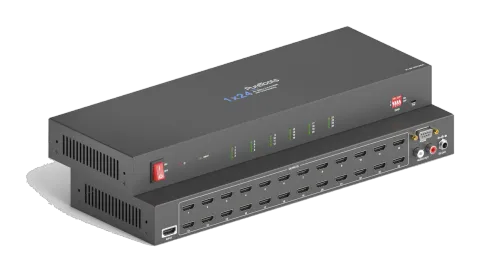
Aktiv
PT-SP-HD124DA
1x24 4K 18Gbps HDMI-splitter med skalering og lyd-dembedding
PT-SP-HD124DA er en 1x24 HDMI 2.0 Splitter med én HDMI Input og fireogtyve HDMI Outputs, der understøtter UltraHD 4K 60Hz (4:4:4) opløsninger inklusive HDR10 og Dolby Vision, med en maksimal datahastighed på 18Gbps og …
ManualStyring (TCP/IP)FAQCETilgængelige styringsinterfaces. Udvid en aktiv type for at se den fulde kommandotabel.
Ingen matchende kommandoer.
RS232 Kommandoer17 kommandoerAktiv
Kilde: manual, kapitel RS232 Communication Commands, side 18
| Kommando | Beskrivelse | Svar | |
|---|---|---|---|
| >GetFirewareVersion | Hent firmwareversion. | <V1.0.0 | |
| >SetFactoryReset | Nulstil til fabriksindstillinger. | <FactoryReset_True | |
| >SetReboot | System genstart. | <Reboot_EN | |
| >SetHelp [Param] | Hent kommandodetaljer. [Param]= Enhver kommando. | ||
| >SetHelp SetHdcpActiveMode | <Set the HDCP bypass from SRC or SINK | ||
| >SetHdcpActiveMode Param | Param = Src,Sink Src - Aktiv ved src Sink - Aktiv ved Sink | ||
| >SetUpdateEdid | Upload brugerdefineret EDID. EDID DIP-switch skal være sat til “1111”. | <User edid ready,Please send edid data in 10s. / <SetUpdateEdid_True/False / <Time out to send edid | |
| >SetInPortEdid [Param] | Indstil EDID til [Param]. [Param]=0~7. 0 - BYPASS 1 - 1920x1080@60 8bit Stereo 2 - 1920x1080@60 8bit High Definition Audio 3 - 3840x2160@30Hz 8bit Stereo Audio 4 - 3840x2160@30Hz Deep Color High Definition Audio 5 - 3840x2160@60Hz Deep Color Stereo Audio 6 - 3840x2160@60Hz Deep Color HDR LPCM 6CH 7 - BRUGER EDID EDID DIP-switch skal sættes til “1111”. | >SetInPortEdid 0 <InPortEdid 0 | |
| >GetInPortEdid | Hent EDID. | <InPortEdid 0 | |
| >SetHdcpActiveMode [Param] | Indstil den aktive HDCP-tilstand. [Param]= Src, Sink Src - Aktiv efter Src. Følger kilden. Sink - Aktiv efter Sink. Følger displayet. Bemærk: EDID-omskifteren skal være sat til “1111” inden kommandoen sendes. | >SetHdcpActiveMode Src <HdcpActiveMode Src | |
| >GetHdcpActiveMode | Hent HDCP aktiv tilstand. | <HdcpActiveMode Src | |
| >SetVideoOutput [Param1],[Param2] | Enable or disable video output. [Param1]=1~24. Output port. [Param2]= EN, Dis Dis - Disable En - Enable | >SetVideoOutput 1,EN <VideoOutput 1 True | |
| >GetVideoOutput [Param] | Get video output status. [Param]=1~24.Output port. | >GetVideoOutput 1 <VideoOutput 1 True | |
| >SetAutoDownScaler [Param] | Aktivér/deaktiver 4K til 1080p nedskalering. [Param]= EN, Dis Dis - Deaktiver En - Aktivér | >SetAutoDownScaler EN <AutoDownScaler True | |
| >GetAutoDownScaler | Hent tænd/sluk-status for down-scaling funktionen. | <AutoDownScaler True | |
| >SetRS232Baudrate [Param] | Indstil baudraten til [Param]. [Param]=1~7 1 - 115200 2 - 57600 3 - 38400 4 - 19200 5 - 9600 6 - 4800 7 - 2400 | >SetRS232Baudrate 1 <RS232Baudrate 1 | |
| >GetRS232Baudrate | Hent RS232 baudrate. | <RS232Baudrate 1 |