
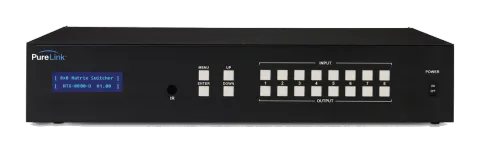
Uitgefaseerd
PRO-HTX-8800-U
HDTools 8x8 HDMI HDBaseT Matrix - Ultra HD
HDTools 8x8 HDMI HDBaseT Matrix - Ultra HD.
HandleidingBesturing (TCP/IP)FAQCEBeschikbare besturingsinterfaces. Klap een actief type uit om de volledige commandotabel te zien.
Geen passende commando’s.
Commando codeformaat2 commando’sActief
Bron: handleiding, hoofdstuk Command Code Formats, pagina 18
| Commando | Beschrijving | Voorbeeld | Antwoord | |
|---|---|---|---|---|
| *999CI01O01! | Maak verbinding op (I01) Input 01 naar (O01) Output 01 | *999CI01O01! | *999sC I01O01! | |
| *999?O03! | Controleer de status van de schakelaars | *999?O03! | *999s? I03O03! |
Algemene regels voor commandocodes3 commando’sActief
Bron: handleiding, hoofdstuk General Rules for Command Codes, pagina 18
| Commando | Beschrijving | Voorbeeld | Antwoord | |
|---|---|---|---|---|
| *999CI01O01! | Start ( * ) + Router ID (999) + Commando (C) + Inputnummer (I01) + Outputnummer (O01) + Einde ( ! ) + Enter (↵ ) | |||
| *999CI01O01,02,03! | Verbindt Input 01 met Output 01, 02 en 03 | *999CI01O01,02,03! ↵ | ||
| *999CI01O01-04! | Verbindt Input 01 met Output 01,02,03 en 04 | *999CI01O01-04! ↵ |
RS232-commando's6 commando’sActief
Bron: handleiding, hoofdstuk Connecting Switches, pagina 21
| Commando | Beschrijving | Voorbeeld | Antwoord | |
|---|---|---|---|---|
| *999CI#O#! | Maak verbinding door de '#' te vervangen door de input- en outputnummer(s). | *999CI01O01! Connect Input 1 to Output 1 | ||
| *999CI01O04,I04O02! | Verbind Input 1 met Output 4 en Input 4 met Output 2 | |||
| *999CI01O01,I02O02,I03O03! | Verbind Input 1 met Output 1, Input 2 met Output 2 en Input 3 met Output 3 | |||
| *999CI01O01,02,03! | Verbind Input 1 met Output 1, 2 en 3 | |||
| *999CI01O01-04! | Verbind Input 1 met Output 1, 2, 3 en 4 | |||
| *999PTP! | Verbind Input 1 met Output 1, Input 2 met Output 2, Input 3 met Output 3 en Input 4 met Output 4 |
RS232-commando's14 commando’sActief
Bron: handleiding, hoofdstuk 2.7 Disconnecting Switches
| Commando | Beschrijving | Antwoord | |
|---|---|---|---|
| *999DI#O#! ↵ | Ontkoppelcommando. Vervang de “#” door de input- en outputnummer(s). | ||
| *999DI01O00! ↵ | Ontkoppel Input 1 naar geen Output (00) | ||
| *999DI00O03,04! ↵ | Ontkoppelt Outputs 3 en 4 | ||
| *999DI00O03-04! ↵ | Ontkoppelt output 3 en 4 | ||
| *999DALLIO! ↵ | Ontkoppelt alle inputs en outputs | ||
| *999EDIDI01E3! ↵ | EDID-instelling | ||
| *999BeepON! ↵ | Pieptoon aan | ||
| *999BeepOFF! ↵ | Pieptoon uit | ||
| *999lockon! ↵ | Vergrendeling frontpaneelknoppen aan | ||
| *999lockoff! ↵ | Vergrendeling frontpaneelknoppen uit | ||
| *999poweron! ↵ | Inschakelen | ||
| *999poweroff! ↵ | Uitschakelen | ||
| *999restore! ↵ | Fabrieksinstellingen herstellen | ||
| *999reboot! ↵ | Herstart |
RS232-commando's5 commando’sActief
Bron: handleiding, hoofdstuk 2.8 Status Check
| Commando | Beschrijving | Voorbeeld | Antwoord | |
|---|---|---|---|---|
| *999?I#!↵ | Controleer Output-verbindingstatus op Input # | *999?I01! ↵ | ||
| *255?O#! ↵ | Controleer aansluiting van Input op Output # | *999?O04! ↵ | ||
| *999?ALLIO! ↵ | Controleer alle Input- en Output-verbindingstatussen | |||
| *999?EDIDi01! ↵ | Invoer EDID-status. i01 = input 1 i02 = input 2 i03 = input 3 i04 = input 4 | |||
| *999?version! ↵ | Firmwareversiecontrole |