
Uitgefaseerd
PT-SP-HD116DA
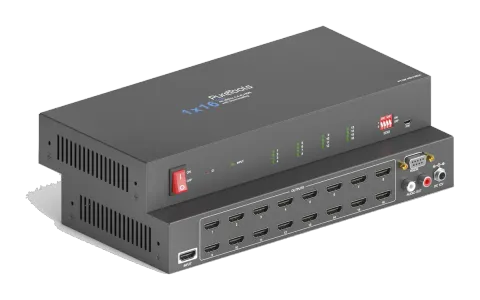
1x16 4K 18Gbps HDMI-splitter met scaler en audio-ontdemping
De 1x16 4K 18Gbps HDMI Splitter met Scaler en Audio De-Embedding is een HDMI 2.0 Splitter met 1 HDMI-input en 16 HDMI-outputs, ondersteunt UltraHD 4K 60Hz (4:4:4) inclusief HDR10 en Dolby Vision bij 18Gbps, en is HDCP …
HandleidingBesturing (TCP/IP)FirmwareCEBeschikbare besturingsinterfaces. Klap een actief type uit om de volledige commandotabel te zien.
Geen passende commando’s.
RS232-commando's16 commando’sActief
Bron: handleiding, hoofdstuk RS232 Communication Commands, pagina 18
| Commando | Beschrijving | Voorbeeld | Antwoord | |
|---|---|---|---|---|
| >GetFirewareVersion | Firmwareversie opvragen. | <V1.0.0 | ||
| >SetFactoryReset | Reset naar fabrieksinstellingen. | <FactoryReset_True | ||
| >SetReboot | Systeem herstart. | <Reboot_EN | ||
| >SetHelp [Param] | Ontvang de opdrachtdetails. [Param]= Elke opdracht. | >SetHelp SetHdcpActiveMode | <Set the HDCP bypass from SRC or SINK | |
| >SetHdcpActiveMode Param | Param = Src,Sink Src - Actief door src Sink - Actief door Sink | |||
| >SetUpdateEdid | Upload de door de gebruiker gedefinieerde EDID. De EDID DIP-schakelaar moet op “1111” staan. | <User edid ready,Please send edid data in 10s. / <SetUpdateEdid_True/False / <Time out to send edid | ||
| >SetInPortEdid [Param] | Stel de EDID in op [Param]. [Param]=0~7. 0 - BYPASS 1 - 1920x1080@60 8bit Stereo 2 - 1920x1080@60 8bit High Definition Audio 3 - 3840x2160@30Hz 8bit Stereo Audio 4 - 3840x2160@30Hz Deep Color High Definition Audio 5 - 3840x2160@60Hz Deep Color Stereo Audio 6 - 3840x2160@60Hz Deep Color HDR LPCM 6CH 7 - GEBRUIKERS EDID De EDID DIP-schakelaar moet zijn ingesteld op “1111”. | >SetInPortEdid 0 <InPortEdid 0 | ||
| >GetInPortEdid | EDID ophalen. | <InPortEdid 0 | ||
| >SetHdcpActiveMode [Param] | Stel de HDCP actieve modus in. [Param]= Src, Sink Src - Actief door Src. Volg de bron. Sink - Actief door Sink. Volg het display. Opmerking: De EDID-schakelaar moet op “1111” staan voordat u het commando verzendt. | >SetHdcpActiveMode Src <HdcpActiveMode Src | ||
| >GetHdcpActiveMode | HDCP-actieve modus ophalen. | <HdcpActiveMode Src | ||
| >SetVideoOutput | Video-uitgang in- of uitschakelen. | >SetVideoOutput 1,EN [Param1],[Param2] [Param1]=1~16. Output port. [Param2]= EN, Dis Dis - Disable En - Enable | ||
| >GetVideoOutput [Param] | [Param]=1~16. Uitgangspoort. | >GetVideoOutput 1 <VideoOutput 1 True | ||
| >SetAutoDownScaler [Param] | Schakel de 4K naar 1080p down-scaling functie in of uit. [Param]= EN, Dis Dis - Uitgeschakeld En - Ingeschakeld | >SetAutoDownScaler EN <AutoDownScaler True | ||
| >GetAutoDownScaler | Haal de aan-uit status van de down-scaling functie op. | <AutoDownScaler True | ||
| >SetRS232Baudrate [Param] | Stel de baudrate in op [Param]. [Param]=1~7 1 - 115200 2 - 57600 3 - 38400 4 - 19200 5 - 9600 6 - 4800 7 - 2400 | >SetRS232Baudrate 1 <RS232Baudrate 1 | ||
| >GetRS232Baudrate | RS232-baudrate ophalen. | <RS232Baudrate 1 |